


TL;DR: TryTheClothes is a browser try-on: upload a full-body photo and a clothing image, and it puts the outfit on you. It sells credit packs from $3.99 for 40 try-ons, with no subscription. FitRoom is the closest match with a free monthly allowance, Google Try-On needs no app or credits on eligible listings in 18 countries, bitStudio and Pincel suit people who also make product images, and TryAnyOutfit works from any screenshot across phone and web.
TryTheClothes is a tidy tool, so why look elsewhere? You add your photo and the clothes, and it gives back an image of you wearing them. Some people want an app with more ratings behind it, or a free tier that refills every month. Others shop from Instagram screenshots rather than product pages. I'd pick the replacement by where you find clothes, not by which demo looks best.
Every tool here starts the same way: one photo of you, one photo of the clothes.
What TryTheClothes offers
TryTheClothes runs in the browser. Upload a full-body photo and a clothing image, or pick from what it says are 450+ ready outfits, and it returns a try-on image. Back and side views of a result are extra, unlocked one at a time. There's a jewellery try-on, a style quiz and a choice of backgrounds too. The site says new accounts get 2 free try-ons with no card.
After that it's pay-as-you-go. Every credit is one try-on, and credits never expire:
| Pack | Price | Try-ons |
|---|---|---|
| Mini | $3.99 | 40 |
| Starter | $9.99 | 140 |
| Power | $19.99 | 320 |
| Super | $49.99 | 900 |
Its FAQ says unused credits can be refunded within 7 days of purchase. The site links to two apps. On the US App Store, "TryOn AI: Virtual Try-On Dress" lists the same packs as in-app purchases plus a Pro subscription with 100 credits a month, and didn't have enough ratings to show a score. On Google Play, "Virtual Try On Clothes: TryOn" showed 5.0 from 109 reviews and 5K+ downloads, and it contains ads.
One thing to read twice. The homepage promises you'll "see the real fit on your own body". Its own FAQ is more careful: results are "AI approximations for preview only", and fit may differ from the real garment. We'd go with the FAQ. No photo-based try-on here, ours included, measures how something fits.
The alternatives at a glance
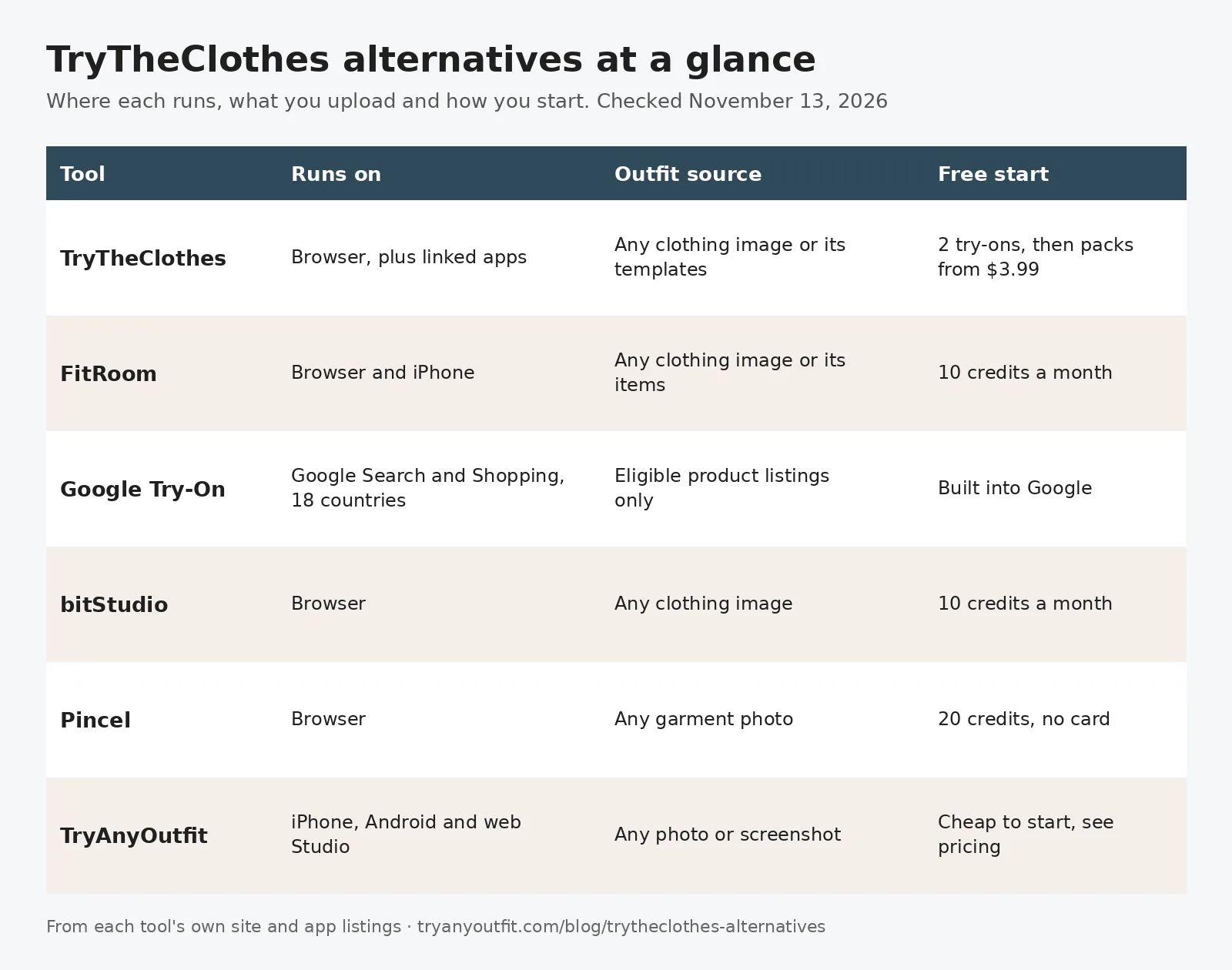
From each tool's own site and app listings, checked November 13, 2026.
| Tool | Runs on | Outfit source | Free start | Paid |
|---|---|---|---|---|
| TryTheClothes | Browser, plus linked apps | Any clothing image or its templates | 2 try-ons | Packs from $3.99 for 40 |
| FitRoom | Browser and iPhone | Any clothing image or its items | 10 credits a month | iPhone: $4.99 weekly, $29.99 yearly |
| Google Try-On | Google Search and Shopping | Eligible product listings only | Built into Google | None listed |
| bitStudio | Browser | Any clothing image | 10 credits a month | Basic $15/month |
| Pincel | Browser | Any garment photo | 20 credits, no card | Creator $19/month |
| TryAnyOutfit | iPhone, Android and web | Any photo or screenshot | Free uploads | Cheap to start; see pricing |
1. FitRoom: the closest like-for-like
FitRoom feels the most familiar. Upload the outfit, add your own photo or pick one of its models, and it changes the clothes. FitRoom says that takes 10 to 15 seconds and that it deletes images after processing. The web Free plan gives 10 credits each month, with a watermark and standard quality.
Its paid web plans didn't show prices in the page text we could read. We won't guess. On the US App Store, the iPhone app ("Only for iPhone") sells $4.99 weekly and $29.99 or $39.99 yearly subscriptions, and it had a 4.6 rating from 258 ratings. Our FitRoom alternatives guide goes deeper on it.
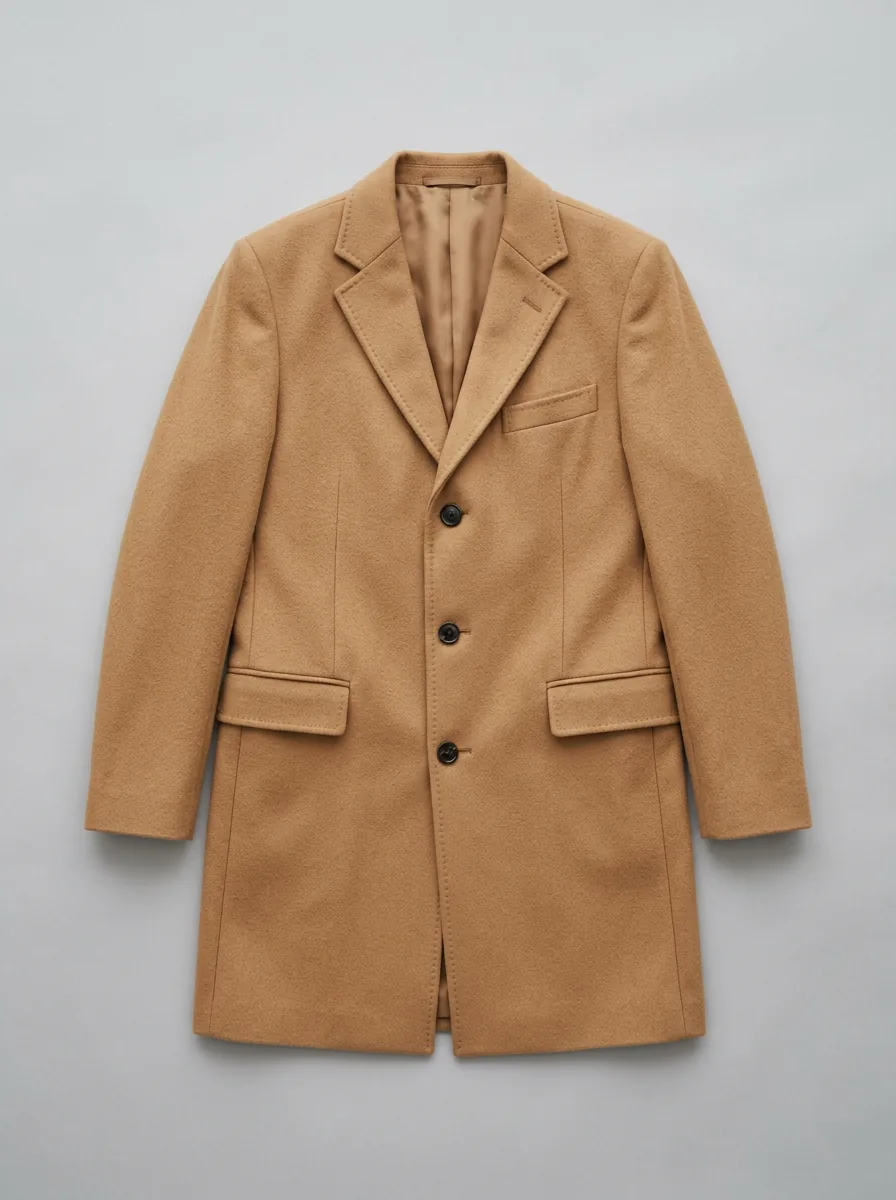
A flat, evenly lit product shot like this one is what all of these tools read best.
2. Google Try-On: no app needed, if you're in the right country
Google built try-on into Search and Shopping, and into product results in Google Images. Click an eligible top, bottom or dress, tap "Try it on" and upload a full-body photo or a selfie. There's no app to install, and Google's help page lists no charge. Google says it doesn't store biometric data or use your photo for training.
The catch is eligibility. Google's help page lists 18 countries, including the US and the UK. Not one is in the EU, so a shopper in Germany or France won't see the button. You also need to be signed in, 18 or over, with Search history and personalized recommendations turned on. Swimwear and lingerie aren't supported, and neither are accessories. And it only works on listings that show the button. Google's help describes no way to upload a clothing image of your own. More in TryAnyOutfit vs Google Try-On.
3. bitStudio: a free tier that refills
bitStudio gives every free account 10 credits a month. Basic is $15 a month for 150 credits, Pro $39 for 350 and Ultra $99 for 1,000. Pro and Ultra add unlimited try-ons in what bitStudio calls relaxed mode, and unused credits roll over for one month on Pro and two on Ultra. Paid plans can also save custom avatars. It leans toward creators and sellers, but nothing stops you using it on your own photo. See our bitStudio alternatives for the rest of that field.
4. Pincel: an occasional swap in the browser
Pincel's Clothes Swap is one of 50+ browser tools. Upload the person photo and a garment photo, and a swap takes 30 to 50 seconds. Each image costs 2 credits, so the 20 free credits (no card needed) cover ten swaps. Creator is $19 a month for 1,000 credits.
Pincel's own tips help with any tool on this list. Use a garment photo without a model in it, and match the type: swap a dress for a dress, a shirt for a shirt. Our Pincel AI alternatives page covers it in more detail.
5. TryAnyOutfit: when you shop from screenshots
We make TryAnyOutfit, so weigh that. It's built for the moment you see an outfit on Instagram, TikTok or a store page and want to know how it looks on you. Add a clear photo of yourself and any outfit image, including a screenshot, and it puts the look on your real photo, not an avatar.

Coat uploaded, Jacket worn open selected. Your photo goes on the right, then you generate in Studio. Screenshot taken November 13, 2026.
Options like Top only or Jacket worn open let you change one piece and keep the rest of your outfit. Face swap and Nail try-on sit in their own tabs. You can use it on iPhone, Android or in the web Studio, and your credits are shared across all three. It's cheap to start; see pricing. Uploaded photos are auto-deleted after 72 hours unless you save them. A preview shows how a piece looks on you. It doesn't measure fit or pick a size.
Which one should you pick?
For something that works like TryTheClothes but refills for free, go with FitRoom. In one of Google's 18 countries and shopping big retailers, Google Try-On needs nothing extra. If you also make product images, look at bitStudio or Pincel. If your outfits come from screenshots and you switch between phone and laptop, try TryAnyOutfit.
For a wider field, see our best AI clothes changers and best virtual try-on apps.
Sources
- TryTheClothes with its pricing page and FAQ
- TryOn AI on the App Store and Virtual Try On Clothes: TryOn on Google Play
- FitRoom with its pricing page
- FitRoom on the App Store
- How the Google Try-On tool works (Google Shopping Help)
- bitStudio pricing
- Pincel pricing and Clothes Swap
Items mentioned
- FitRoom: Browser and iPhone try-on with 10 free credits a month on the web.
- Google Try-On: Built into Google Search and Shopping for eligible listings in 18 countries.
- bitStudio: Browser try-on and AI images with 10 free credits a month.
- Pincel: Clothes Swap among 50+ browser tools, 20 free credits with no card.
- TryAnyOutfit: Puts an outfit from any photo or screenshot on your own photo, on iPhone, Android and web.
Frequently asked questions
How much does TryTheClothes cost?
As of November 13, 2026, TryTheClothes gives new accounts 2 free try-ons, then sells credit packs with no subscription: $3.99 for 40 try-ons, $9.99 for 140, $19.99 for 320 and $49.99 for 900. Credits never expire.
What is the closest TryTheClothes alternative?
FitRoom works the same way: upload a clothing image and your photo in the browser or the iPhone app. Its free web plan gives 10 credits each month.
Is there a free alternative to TryTheClothes?
Google Try-On is built into Google Search and Shopping with no charge listed, but only on eligible listings and only in 18 countries, none of them in the EU. bitStudio gives 10 free credits a month and Pincel 20 free credits with no card.
Do AI try-on tools show how clothes will fit?
No. They show how a piece could look on your photo. TryTheClothes' own FAQ calls its results AI approximations, and Google says its try-on does not determine fit. Check the size chart and return policy before buying.