


If FitRoom is the name you type when you want AI try-on in a browser, you're not alone. Upload a garment, pick your photo or a preset model, wait a few seconds, download. Close, but maybe not quite right: wrong price, wrong extras, or you want results on your phone with a wardrobe attached.
We make TryAnyOutfit, and we'd rather put our bias on the table. We already publish a longer TryAnyOutfit vs FitRoom page. This post is the wider list. Six apps and tools cover a similar shopper job. Features and US prices come from each product's own pages. No image-quality ranking here. Order just means "here's what each one is for".

FitRoom alternatives for shoppers who want a garment photo on their own picture, whether that means a phone app, a browser tool or Google's built-in button.
The short version first.
| App / tool | Where it runs | How you feed the outfit | Notable extras | Prices listed (US) |
|---|---|---|---|---|
| FitRoom | iPhone, Android, fitroom.app | Garment photo or preset item + your photo or preset model | Seller tools, try-on API | Weekly $4.99; yearly $29.99 or $39.99 (App Store IAP) |
| TryAnyOutfit | iPhone, Android, web studio | Any outfit screenshot or product photo + your photo | Face Swap, wardrobe, planner, AI stylist, Get the look | Packs from $2.99 for 5; plans $7.99/week or $14.99/month |
| Gensmo | iPhone, Android | Items and looks inside the app on an AI avatar | Snap-to-shop, walk/turn videos, couple try-on | Credit packs $5 for 10 up to $50 for 100 |
| DLOOK | iPhone, Android | Screenshot or photo of an outfit | Outfit maker, digital wardrobe, color analysis | Weekly $9.99; yearly $59.99 or $69.99; styling credit packs $2.99–$29.99 |
| Google Try-On | Google Search, Shopping, Images | Eligible product listings only (not your own screenshot) | No separate install | Google's help pages list no charge for the feature |
| Doji | iPhone | Catalog items or links from the web on an AI likeness | Closet, social feed, browser extension | No in-app purchases listed on the US App Store page |
Every option above generates a picture. None of them measure fit or choose a size. For the clothes-changer web tools that dominate "AI clothes changer" searches, see best AI clothes changers.
FitRoom (the baseline)
FitRoom's site and apps do the classic two-upload try-on: outfit image plus a person photo (or one of their presets). Processing is marketed around 10–15 seconds. There's a full web path at fitroom.app, so you can skip the App Store if you want. Half the product faces sellers (product shots on diverse models, plus a try-on API). Handy if you run a shop. Noise if you only want to try clothes on yourself.
US App Store IAP: weekly $4.99 and yearly options at $29.99 and $39.99. About 4.6 stars from 256 ratings. Google Play's listing has been marked as containing ads on earlier checks, so confirm the live store page.
TryAnyOutfit
Ours starts from the same shopper habit FitRoom serves: you already have the outfit image. Add a clear photo of yourself and a screenshot from any store or social post. The studio renders that outfit on your photo. Face Swap covers the case where the reference is a full styled model look. Discover sits next to a digital wardrobe. An outfit calendar, an AI stylist and Get the look (shop links from a photo) hang off the same results.
iPhone and Android both work, and there's a web studio at tryanyoutfit.com/tryon. Every render costs one credit. Try-on, face swap and custom edit each take one. Packs are 5 for $2.99, 15 for $4.99 or 30 for $8.99. Subscriptions are 20 try-ons for $7.99 a week or 50 for $14.99 a month. Setup is free. Generating is not. Site pricing is what we use in articles. The App Store can show extra SKUs.
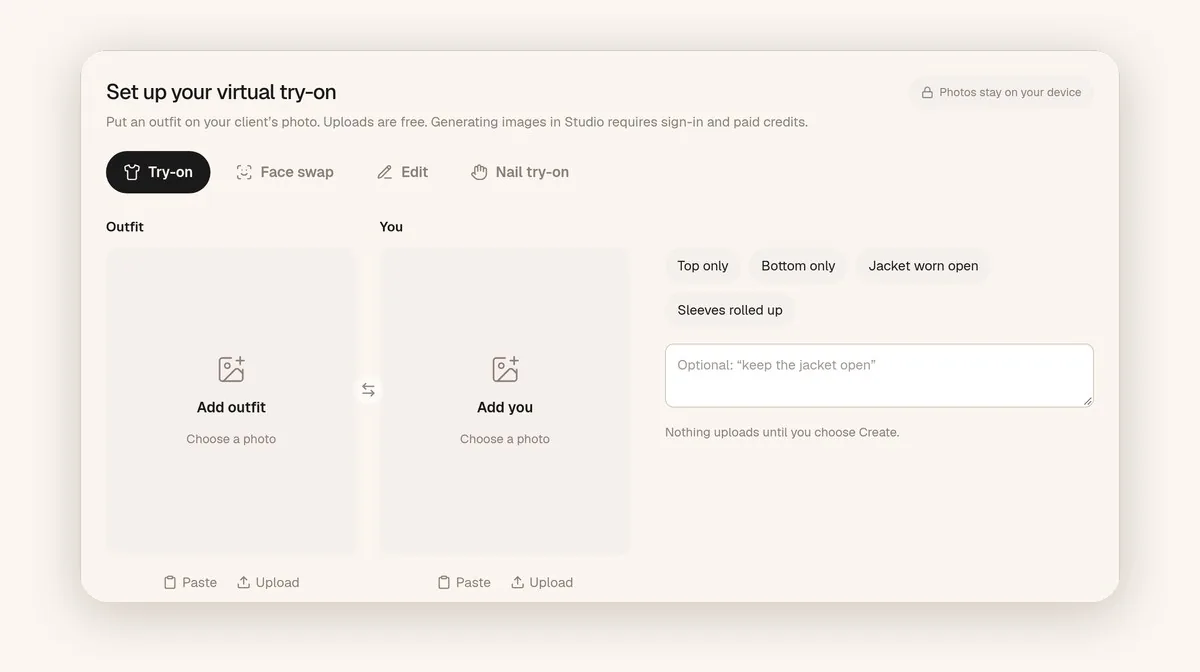
TryAnyOutfit web studio: Outfit and You slots. Choosing images is free; generate spends a credit.
We preview a look. We don't measure fit. More on that honesty in our FAQ. The phone-first list is in best virtual try-on apps.
Gensmo
Gensmo calls itself a shopping agent. Try-on is one piece: upload a photo, get an AI avatar, dress it. The App Store description also covers snap-to-shop outfit suggestions, short walk or full-turn videos of a look, and couple try-on. Credit packs only on the US listing: $5 for 10 credits up through $50 for 100. About 4.7 stars from 1,757 ratings.
Pick Gensmo when you want discovery and shopping glued to the try-on. If you already know the exact SKU screenshot you want on your real photo, the avatar step is an extra layer.
DLOOK
DLOOK (formerly Dressy, per its listing) works from screenshots and photos the same way FitRoom-class apps do. Its site marketing adds an AI outfit maker and a digital wardrobe, with personal color analysis on top. US IAP: weekly $9.99, yearly $59.99 or $69.99, and styling credit packs from $2.99 to $29.99. About 4.8 stars from roughly 1,300 ratings. Highest rating in this set on iPhone, the day we looked.
Google Try-On in Search and Shopping
No install. On an eligible product in Google Search, Shopping or Images, you tap Try it on and upload a photo. Google's help materials describe support for tops and bottoms, and for dresses, with shoes covered in Merchant Center docs. Lingerie and swimwear aren't supported. Accessories aren't either, and sponsored listings don't show the button. You need to be logged in, 18+, with the right personalization settings, in a country Google lists.
The hard limit versus FitRoom: you can only try products Google already indexes. A TikTok screenshot or a small boutique Instagram post won't open the button. Google's help pages don't list a charge for the feature. Side-by-side notes live at TryAnyOutfit vs Google Try-On.
Doji
Doji builds a photorealistic AI likeness from a few photos, then dresses that likeness from its catalog or items you add via web links. A closet and a social feed are part of the pitch, plus a browser extension for trying on while you shop. iPhone only on the listings we've seen. The US App Store page listed no in-app purchases, with about 4.1 stars from 167 ratings. Some regional listings have described invite-only access, so check whether you can open the full product before you count on it.

Match the alternative to the job. Browser try-on, screenshot-on-self, Google Shopping, discovery feed.
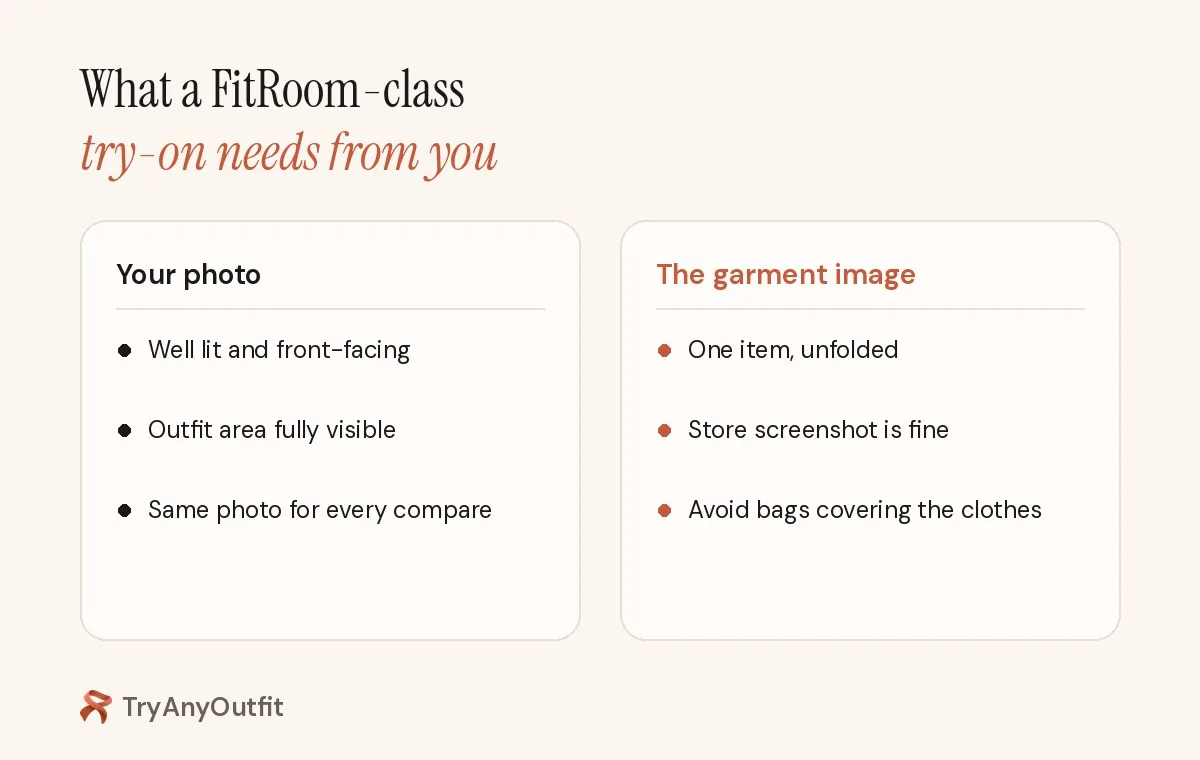
A FitRoom-class try-on still needs a clear person photo and a readable garment image.
What none of these replace
A try-on preview answers style questions. Color on your skin, neckline on your face, whether the outfit looks right for the event. Size and stretch still belong to the retailer's chart and return policy. Google said the same thing plainly when Doppl was alive: generated images don't represent fit or suggest a size. That line still fits every tool here.
Use a well-lit, front-facing photo with the area you're dressing fully visible. One clear garment image beats a folded pile. Our photo guide has examples, and Clothes Swap AI covers the web-tool side of the same idea.
Which alternative to open first
Stay in the browser with presets and a seller toolkit: FitRoom.
Want screenshots from anywhere on your own photo, with a wardrobe and planner around it: TryAnyOutfit.
Want Google to try the product on the Shopping page itself: Google Try-On, if you're in a supported country and the listing qualifies.
Want the app to suggest what to buy as well as show it: Gensmo or Doji.
Screenshot try-on plus wardrobe and color analysis, with a high App Store rating, points at DLOOK.
And if you're still deciding between us and FitRoom specifically, start with the comparison page rather than this list.
Sources
App Store listings and product pages checked on October 12, 2026. Prices change often; confirm them in each app or on each site before you buy.
Items mentioned
- FitRoom: Browser and app try-on with garment upload or presets; seller tools and API.
- TryAnyOutfit: Screenshot try-on on your photo; Face Swap, wardrobe, planner; credits per render.
- Gensmo: AI stylist and avatar try-on with credit packs.
- DLOOK: Screenshot try-on with wardrobe and color analysis.
- Google Try-On: Built into Google Search/Shopping for eligible listings only.
- Doji: AI likeness try-on with closet and browser extension; iPhone.
Frequently asked questions
What is the best FitRoom alternative for screenshot try-on?
TryAnyOutfit and DLOOK both start from outfit screenshots on your photo. TryAnyOutfit also has Face Swap, a wardrobe, planner and web studio. See our TryAnyOutfit vs FitRoom comparison for a direct side-by-side.
Is there a free FitRoom alternative?
Google Try-On on eligible Shopping and Search listings doesn't list a charge for the feature, but it only works on products Google indexes — not arbitrary screenshots. FitRoom and the apps above use subscriptions or credits for full use.
Does FitRoom work in a browser?
Yes. FitRoom runs at fitroom.app as well as on iPhone and Android, which is one reason people look for browser-friendly alternatives.
Do any of these apps measure my clothing size?
No. Every option here generates a visual preview. They don't measure fit or choose a size. Use the retailer's size chart and return policy.