
Skip to content

Try on clothes with AI. See any outfit on you.

TryAnyOutfit (Try Any Outfit) lets you preview clothes on your own photo before you buy. Upload an outfit screenshot, save your favorite looks, and plan what to wear on iPhone and Android.

Open web studio

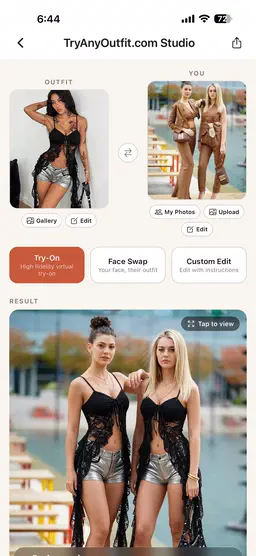
Original photo of two women before an AI clothing try-on
The same two women wearing a new outfit in TryAnyOutfit Studio

Try looks from stores you love

  • youtube
  • tiktok
  • shopify
  • shein
  • shopee
  • amazon
  • ebay
  • zara
  • fashionnova
  • H&M

A different look. Still you.

Three outfit changes, all starting with one photo.

More looks on TikTok

What can you do with TryAnyOutfit?

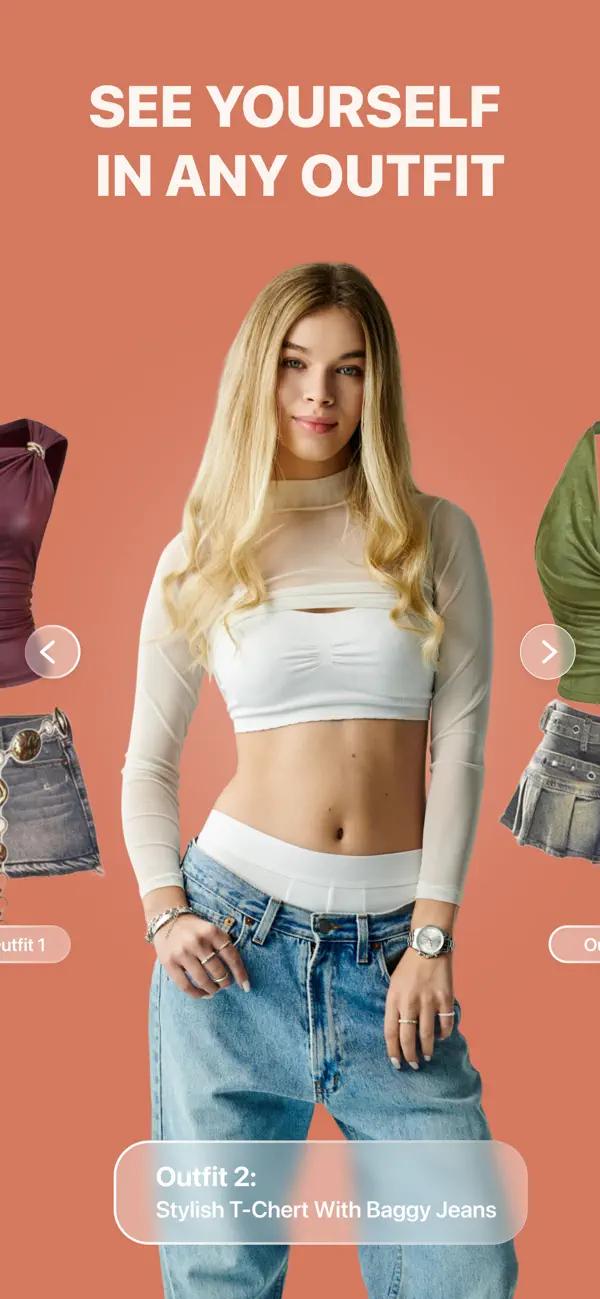
TryAnyOutfit AI virtual try-on with a white top and baggy jeans

Upload your photo and an outfit screenshot. Use AI virtual try-on to preview the clothes on yourself before you buy.

Try on

How to try on clothes online with AI

An AI virtual try-on combines your photo with a clothing image to create a preview. Here is where to start.

Read the photo-to-outfit guide
Try-on preview of a white t-shirt with straight-leg jeans
Swap the clothing image
  1. Use a clear photo with the area you want to dress visible. For a whole outfit, choose a full-body photo.

  2. Upload a permitted product photo or outfit screenshot. Keep the clothing visible and crop out unrelated items.

  3. Generate the preview, then compare it with the original garment. Patterns, proportions, and small details can change.

Use the image to explore a look. It does not measure fit, choose your size, or replace the retailer’s size chart.

From streetwear to evening wear.

Try the looks you’ve saved, from a weekend outfit to a wedding guest dress.

Black evening outfit
Evening
Friends trying outfits together
Together
Outfit ideas in a boutique
Everyday
Men’s fashion inspiration
Tailored
Streetwear outfit
Streetwear
Runway-inspired outfit
Statement

Simple pricing.

Subscribe for regular try-ons or buy a one-time credit pack.

View plans and credit packsHide plans and credit packs

Subscriptions

  • Style Lover

    Best value

    50 try-ons · $0.30 each

    $14.99month

  • Casual

    Flexible

    20 try-ons · $0.40 each

    $7.99week

Credit packs

  • 5 try-ons

    $0.60 each

    $2.99one-time

  • 15 try-ons

    Popular

    $0.33 each

    $4.99one-time

  • 30 try-ons

    Best deal

    $0.30 each

    $8.99one-time

Frequently asked questions

How AI clothes try-on works, what it costs, and where your photos go.

What is TryAnyOutfit?

TryAnyOutfit, written as Try Any Outfit with spaces, is an AI virtual try-on app for iPhone and Android. This is its official website. Upload your photo and an outfit image to see yourself wearing the clothes.

How does AI virtual try-on work?

Upload a clear photo of yourself and an outfit image. The app creates a picture of you wearing the clothes. The result previews the look; it doesn’t measure fit or guarantee a size.

What clothes can I try on?

Try dresses, suits, streetwear, activewear, occasion wear, and pet outfits. You can upload clothing images from any brand or store.

Is TryAnyOutfit free to use?

The app is free to download. Virtual try-ons use credits. Subscriptions and one-time credit packs are available; check the app for prices in your currency.

Which devices are supported?

Download TryAnyOutfit on iPhone or Android. The App Store and Google Play listings show which devices and operating systems are supported.

Are my photos private?

Your photos are processed on our cloud servers to create your try-on results. We don’t use your photos to train AI models or share them with advertisers. Read our privacy policy for storage details and deletion options.

8,350+
downloads

Across the App Store and Google Play

4.3/5 on the App Store · 45 ratings