



Almost every AI clothes changer shouts "free" in its headline. Free how, though? bitStudio's free tier works without an account, but it stamps watermarks on your images and caps you with daily limits. Magic Hour gives you 3 outfit swaps a day with no sign-up at all. Pincel hands out 20 credits when you register, and one image eats 2 of them. Same word, three very different deals.
We make TryAnyOutfit, one of the tools below, and we haven't run a controlled quality test across all of them, so please don't read the order as a ranking by image quality. Think of it as a field guide to what each tool asks for and what it costs, and who it's really built for. We'd try the two or three that fit your case. Every term here comes from the tools' own pages, read on October 11, 2026.

An AI clothes changer keeps the person and pose and replaces the outfit.
The short version first.
| Tool | Where it runs | What "free" means (per the tool's site) | Paid option | Built mainly for |
|---|---|---|---|---|
| bitStudio | Web | Turbo quality is free, no login; daily limits and watermarks | Credits: Standard 1, Max 2 per image | Shoppers and stores |
| Magic Hour | Web | 3 outfit swaps per day without an account | Account credits, API | Quick one-off swaps, developers |
| Kling AI | Web, iPhone, Android | Not stated on the clothes changer page | See Kling's pricing page | Detailed edits from several references |
| Pincel | Web | 20 credits on sign-up, no card; 2 credits per image | Credit plans, API | Product photos on models |
| AI Clothes Changer in Canva | Inside Canva | Canva says it's free with any Canva plan | Canva plans | People already designing in Canva |
| FitRoom | Web, iPhone, Android | "Start for free" on the site | App: $4.99 weekly, $29.99 to $39.99 yearly | Shoppers and sellers |
| TryAnyOutfit | iPhone, Android, web studio | Setting up a look is free; rendering uses credits | Packs from $2.99 for 5; plans $7.99/week or $14.99/month | Trying store screenshots on your own photo |
bitStudio
When we checked, bitStudio's page was the top US Google result for "ai clothes changer". You upload a person photo and an outfit image (a flat lay works, as does a mannequin shot or another model photo) and pick a quality level. Turbo is free, Standard costs 1 credit and Max costs 2. No account needed for the free tools, says the FAQ, though free users get daily limits and watermarked images. Whatever you make stays yours: the same FAQ says you keep full ownership, free or paid.
The page reads as if it's half talking to store owners, and that's because the company also sells a "virtual fitting room" widget for Shopify stores. For a shopper, though, the free Turbo option is the fastest way to test one outfit idea.
Magic Hour
Of the no-account options, Magic Hour's clothes changer is the most generous we found. Its FAQ says you get 3 free outfit swaps per day without signing up, and the page promises no watermark. Make a free account and you get credits and saved projects on top, per the same FAQ. There's also an API for apps that want to build try-on into their own product.
Three a day is enough to compare a couple of outfits for one event. It won't cover an afternoon of browsing.
Kling AI
Kling plays a different game. Instead of one person photo and one garment, you can upload several references and assign them in a written instruction: use image 1 as the person, the shirt from image 2, the jacket from image 3, the shoes from image 5. Output comes in 2K or 4K. It runs on the web, and Kling links to iPhone and Android apps as well.
All that control pays off when you're building a full look from pieces sold by different shops. The price is effort. You're writing a prompt, not tapping one button. The clothes changer page doesn't state a per-image price, so check Kling's pricing page before you start.
Pincel
Sellers are Pincel's crowd, specifically ones who want their garments on a model without a photo shoot. Upload a model image and a garment image, and the page says you'll wait 30 to 50 seconds. Each image costs 2 credits. New accounts get 20 free credits without a card, which works out to roughly 10 tries.
One instruction is worth following: Pincel says to match the garment type in both photos, shirt for shirt, dress for dress. If your source photo shows jeans and the new item is a maxi dress, expect weaker results. Pincel also states that you hold full commercial rights to what you make.
AI Clothes Changer inside Canva
Despite the name, Canva didn't build this one. It's a third-party app in Canva's Apps Marketplace. You upload a photo of the person and an image of the garment, and the result lands in your Canva design. Canva's page says it's free to use with any Canva plan. Got client work in that Canva account? Then note that when it's open, the app can read and change your design and access media you've uploaded to Canva.
We'd reach for it only when the try-on image is headed straight into a post or a mood board, or a flyer you're already editing in Canva.
Phone apps: FitRoom and TryAnyOutfit
On the phone side, FitRoom runs as an iPhone and Android app, and in a browser too. You upload an outfit and your own photo or one of its preset models. The site says processing usually takes 10 to 15 seconds. Uploaded images are deleted after processing, it adds. The US App Store lists a $4.99 weekly purchase and yearly options at $29.99 and $39.99, and the Google Play listing is marked "Contains ads". There's a side-by-side in our TryAnyOutfit vs FitRoom comparison.
TryAnyOutfit, our app, starts from the screenshot you already saved. You add a clear photo of yourself and an image of the outfit from any store or social post, and it renders the outfit on your photo. Studio also has Face Swap, for putting your face on a model's complete look, and custom edits like rolling up sleeves or adding sunglasses. Saved results go into a digital wardrobe you can plan on a calendar.
Every render costs one credit, whether it's a try-on or a face swap or a custom edit. Packs are 5 for $2.99, 15 for $4.99 or 30 for $8.99, and subscriptions are 20 try-ons for $7.99 a week or 50 for $14.99 a month. There are no free renders. You can choose your images on the web at tryanyoutfit.com/tryon before signing in, and sign-in plus credits are only needed when you generate.
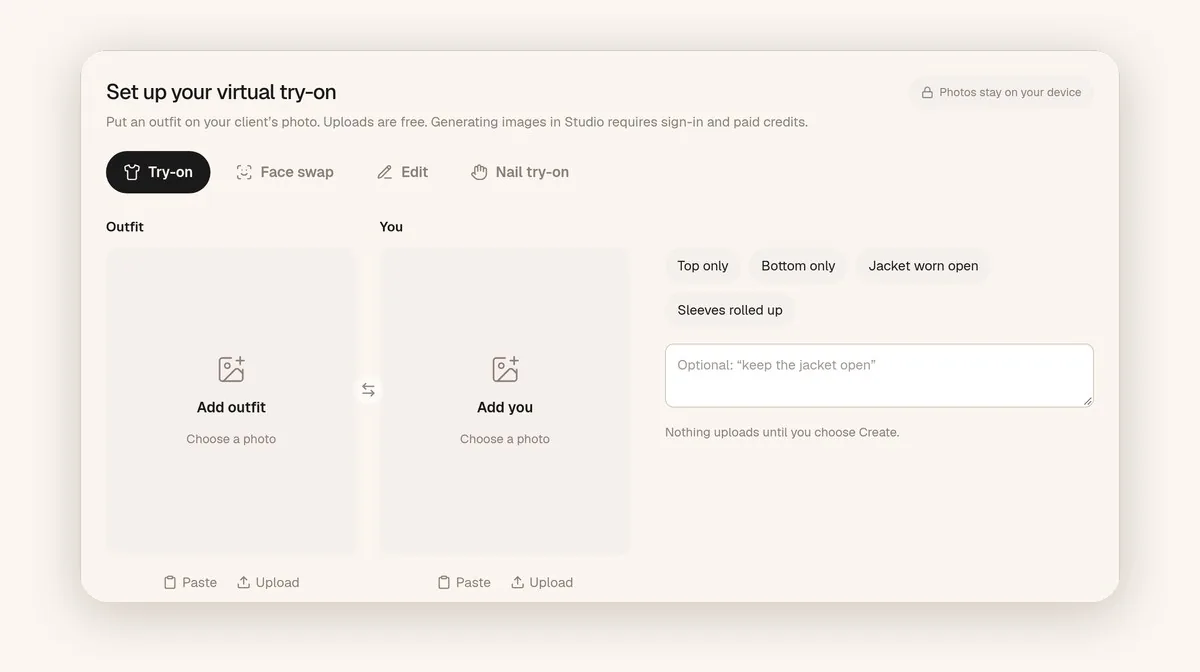
The web setup at tryanyoutfit.com/tryon. Choosing photos is free; generating uses credits.
If you're mainly shopping on your phone, our list of the best virtual try-on apps covers more mobile options, including DLOOK and Gensmo.
Getting a usable result from any of them
Honestly, the input photos decide more than the tool does. Use a well-lit, front-facing photo with the area you're changing fully visible. The garment image should show one unfolded item with no hands or bags in the way. If the tool lets you choose, keep the original outfit similar in shape to the new one. Our step-by-step guide to changing clothes with AI goes through this in more detail.

A flat, fully visible garment gives the tool more to work with than a folded one in low light.
Then compare the output with the product photo. Generated images can move a pocket, simplify lace or change a print's scale. And no clothes changer measures your body. A result can tell you whether a color or silhouette suits you. The size chart and the return policy still decide whether to order.
Which one to try first
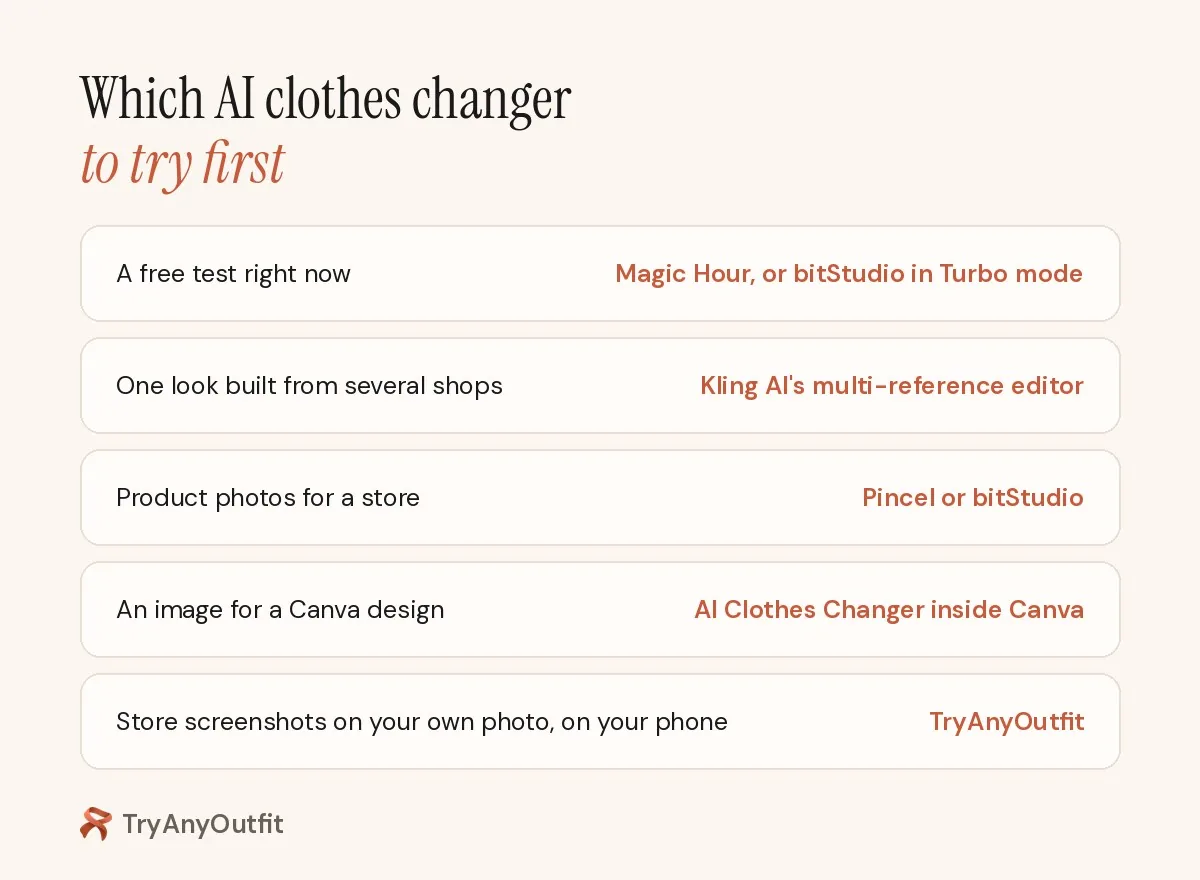
For a free test of one idea right now, start with Magic Hour or bitStudio's Turbo mode. For a look assembled from several shops, Kling's multi-reference editor gives you the most control. For product photos for a store, Pincel and bitStudio are built for that job. If the image is headed into a design, use the Canva app.
If you want to see outfit screenshots on your own photo regularly, from your phone, and keep the results with an outfit calendar, that's the case TryAnyOutfit is built for.
Sources
All pages were checked on October 11, 2026. Free limits and credit prices change often, so confirm them on each site before you rely on them.
Items mentioned
- bitStudio: Free Turbo mode without login (watermarked, daily limits); Standard and Max cost 1 and 2 credits.
- Magic Hour: 3 free outfit swaps per day without an account; API available.
- Kling AI: Multi-reference outfit edits with 2K or 4K output on web and mobile.
- Pincel: Garment-on-model images for sellers; 20 free credits on sign-up, 2 credits per image.
- AI Clothes Changer in Canva: Third-party Canva app, free with any Canva plan according to Canva.
- FitRoom: Web and mobile try-on with your photo or preset models.
- TryAnyOutfit: Try outfit screenshots on your own photo on iPhone, Android or web; credits from $2.99 for 5.
Frequently asked questions
Is there an AI clothes changer that's free without signing up?
Magic Hour's FAQ says you get 3 free outfit swaps per day without an account. bitStudio's Turbo mode is free without a login, with daily limits and watermarks.
Which AI clothes changer is best for product photos?
Pincel and bitStudio are built for sellers. Pincel puts a garment on a model image for 2 credits per image, and bitStudio also offers a virtual fitting room for Shopify stores.
Can I combine clothes from several photos into one outfit?
Kling AI's clothes changer accepts several reference images, so you can take a shirt from one photo and a jacket or shoes from others in a single edit.
Does an AI clothes changer show how clothes will fit?
No. These tools generate a visual preview and don't measure your body. Use the result to judge color and style, then check the size chart and return policy.