


Almost every AI clothes changer shouts "free" in its headline. The fine print is where the tools stop agreeing. Magic Hour's free tier is 3 outfit swaps a day with no sign-up. bitStudio's free Turbo mode works without an account, but it stamps watermarks and caps you with daily limits. NoteGPT hands out 2 free images a day, then charges premium credits. Same word, three very different deals.
We make TryAnyOutfit, and we haven't given away unlimited renders. Setting up a look is free. Generating is not. We'd rather say that plainly than hide under "freemium". What follows is a map of what free usually means on these pages, taken from each product's own wording.

Most "free" AI clothes changers still meter you somehow: daily caps, watermarks, or credits after a trial.
The short version first.
| What the page says | What it usually means in practice | Examples we verified |
|---|---|---|
| Free, no sign-up | A small daily allotment in the browser | Magic Hour: 3 outfit swaps/day, no watermark |
| Free Turbo / free mode | Lower quality or watermarked output, still capped | bitStudio: Turbo free, daily limits + watermarks |
| Free credits on signup | A one-time starter stack, then pay | Pincel: 20 credits, no card. 2 credits/image |
| Free daily images, then credits | A tiny daily bucket, then premium credits | NoteGPT: 2 free images/day, then 6 premium credits/image |
| Free to start / free download | App or editor opens. generation costs money | TryAnyOutfit: setup free, every render uses a credit |
None of these are scams by default. They're different products. The trap is reading the headline and skipping the meter. For feature notes beyond pricing, see best AI clothes changers and Clothes Swap AI.
Magic Hour
Of the no-account options, Magic Hour's clothes changer is the most generous we found. Its FAQ says you get 3 free outfit swaps per day without signing up, and the page promises no watermark. Make a free account and you get credits and saved projects on top, per the same FAQ. Past the free daily allotment, each swap uses 25 credits on their meter. Paid plans and credit packs cover the rest.
Three a day is enough to compare a couple of outfits for one event. It won't cover an afternoon of browsing.
bitStudio
When we checked, bitStudio's page was still pushing free Turbo with no login. You upload a person photo and an outfit image and pick a quality level. Turbo is free, Standard costs 1 credit and Max costs 2. No account needed for the free tools, says the FAQ, though free users get daily limits and watermarked images. Whatever you make stays yours: the same FAQ says you keep full ownership, free or paid.
For a shopper, the free Turbo option is the fastest way to test one outfit idea. For a clean file without a watermark, plan on Standard or Max.
NoteGPT
NoteGPT's AI Clothes Changer page shows the meter on the tool itself: 2 free images daily, then 6 premium credits per image. Marketing copy still says it's completely free to use and that you don't need payment info, which is true for those two daily images. After that you're on their credit plans. Two a day is a try-before-you-buy sample. Plan for credits if you need a batch.
Other free tiers we checked
Media.io's AI Outfit Swap page claims free unlimited basic outfit swaps with no daily caps in the highlights, and a free version on the clothes-changer FAQ with upgrades for resolution and speed. Vidnoz's FAQ draws a sharper line: you can visit the editor freely, but free generations are limited per day, and downloading for free requires login. We quote those pages as written. We did not stress-test Media.io's "unlimited" claim with a high-volume account, so confirm the live meter before you schedule a catalog around it.
Pincel uses signup credits. You get 20 free credits with no card. Clothes Swap costs 2 credits per image on the tool page. That works out to roughly 10 garment-on-model tries for a seller sample.

Same search query, different meters. Daily caps and watermarks show up as often as paid renders.
What TryAnyOutfit actually charges
Downloading TryAnyOutfit is free. Setting up a look on iPhone, Android, or the web studio at tryanyoutfit.com/tryon is free. Rendering is not. Every try-on, face swap, or custom edit uses one credit. Packs are 5 for $2.99, 15 for $4.99 or 30 for $8.99. Subscriptions are 20 try-ons for $7.99 a week or 50 for $14.99 a month. There are no free renders. You can choose your images on the web before signing in, and sign-in plus credits are only needed when you generate.
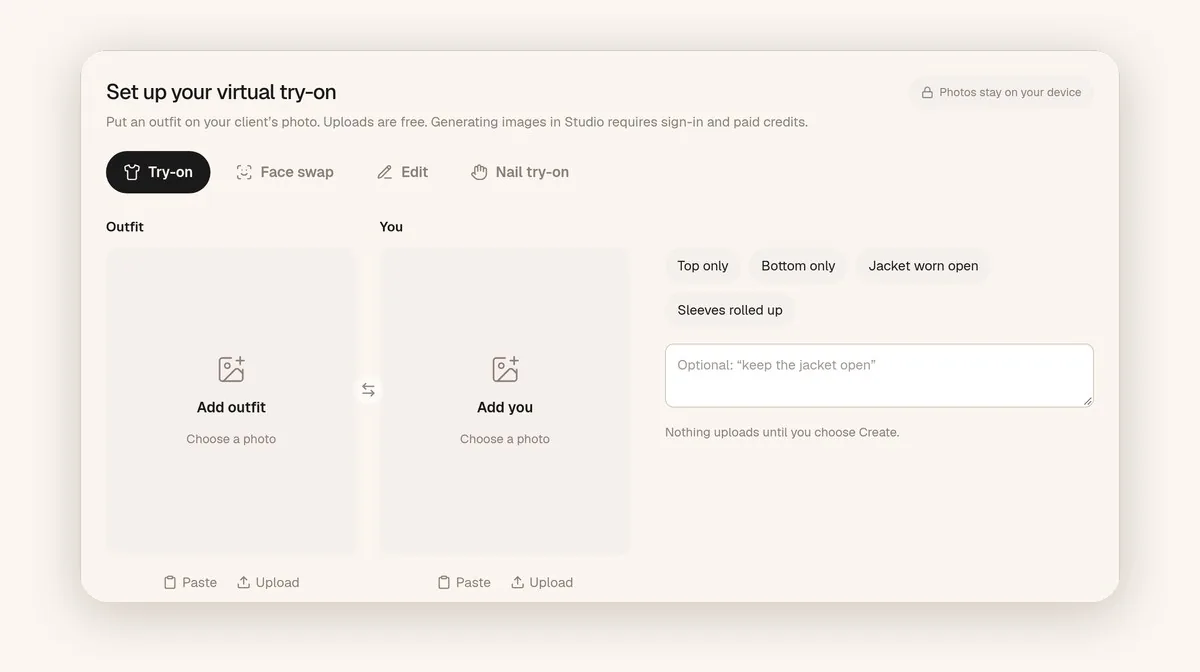
Choosing Outfit and You photos on TryAnyOutfit costs nothing. Hitting generate spends a credit.
The weak spot is fit, and we'd rather say so here. It previews a look. It doesn't measure fit or pick a size. More detail sits in our FAQ.
How to use a free tier without wasting it
Honestly, match the free tier to the job size. For a free test of one idea right now, start with Magic Hour or bitStudio's Turbo mode. For a seller sample of a garment on a model, Pincel's 20 signup credits fit. For two quick experiments, NoteGPT's 2/day is enough. If you want outfit screenshots on your own photo regularly, budget TryAnyOutfit credits instead of chaining daily free caps.
Spend those slots on good inputs. Use a well-lit, front-facing photo with the area you're changing fully visible. The garment image should show one unfolded item. Our guide to changing clothes with AI goes through this in more detail.
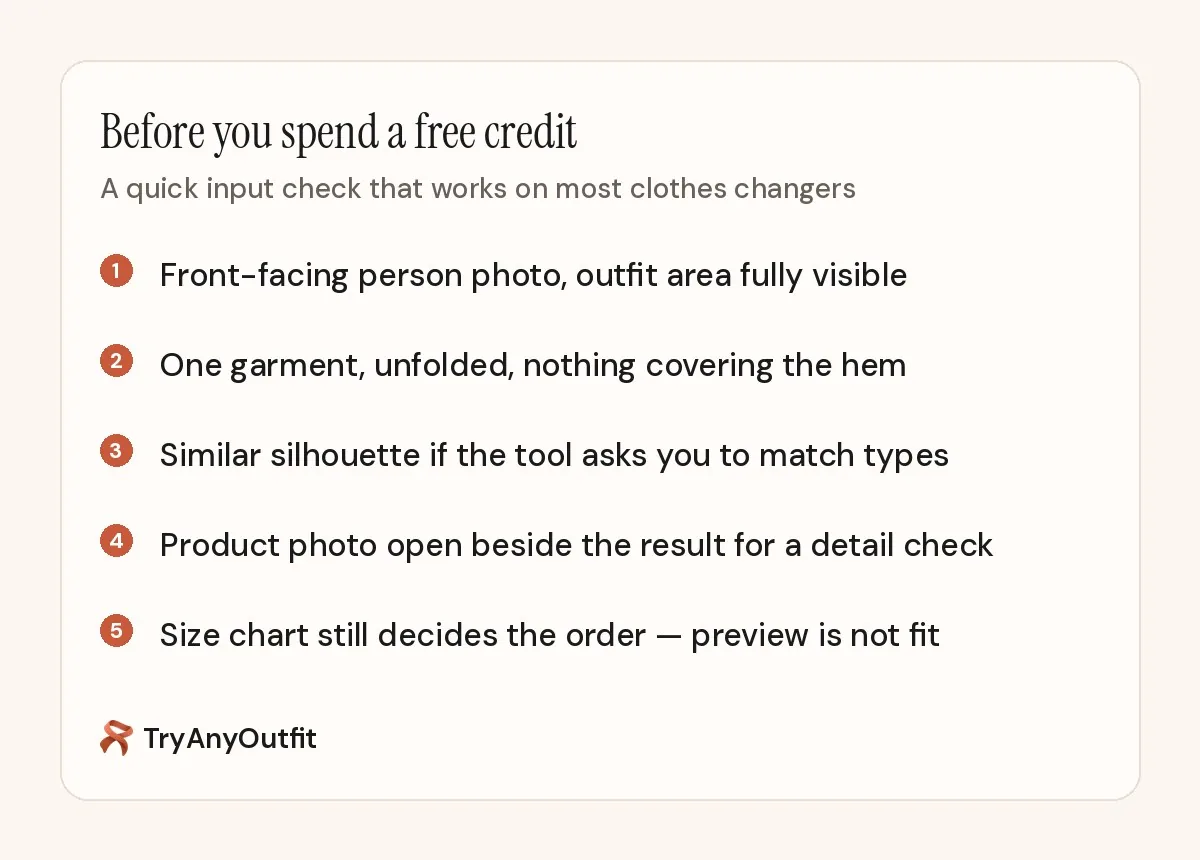
Before you burn a free credit: clear person photo, one visible garment, similar shape if the tool requires it.
Then remember what free never includes: a size recommendation. A free AI clothes changer still doesn't measure your body. Color and vibe, yes. Fit guarantee, no.
Sources
All pages were checked on October 11, 2026. Free limits and credit prices change often, so confirm them on each site before you rely on them.
Items mentioned
- Magic Hour: 3 free outfit swaps per day without an account; no watermark.
- bitStudio: Free Turbo without login; daily limits and watermarks.
- NoteGPT: 2 free images daily, then 6 premium credits per image.
- Pincel: 20 free credits on sign-up; 2 credits per clothes-swap image.
- TryAnyOutfit: Setup free; every render uses a credit — no free renders.
Frequently asked questions
Is there a completely free AI clothes changer with no limits?
We did not find an unlimited, no-watermark, commercial-ready clothes changer that stays free forever on the pages we checked. Media.io markets unlimited basic outfit swaps; confirm the live product meter. Most others use daily caps, watermarks, or credits.
Which free AI clothes changer needs no sign-up?
Magic Hour states 3 free outfit swaps per day with no account and no watermark. bitStudio's Turbo mode is free without login, with daily limits and watermarks.
Is TryAnyOutfit free?
The app and web setup are free to use up to the generate step. Every render costs a credit. There are no free renders.
Can I use free-tier outputs commercially?
Only if the tool says so. bitStudio and Pincel state you keep rights to outputs. Magic Hour ties commercial use to a paid subscription or credit pack. Read each license before you put a free-tier image in an ad.