


Short answer: before buying a final-sale vintage wool coat, I put the seller's hanger photo on a full-length photo of me in my own sweater and jeans with TryAnyOutfit's virtual try-on, using the note box to ask for the coat buttoned over my clothes. The preview settled the color. The seller's measurements, the fabric label and close-ups of the lining settled the rest.

The camel coat and the charcoal one I compared it with.
My winter coat for the last four years has been a black puffer with a zipper that now sticks halfway. Every November I tell myself I'll buy a proper wool coat, and every November I look at new ones and close the tab. This year I went looking secondhand instead.
On a Tuesday night I found it on a resale app: a vintage camel wool coat, single-breasted, long, photographed on a hanger against a white door. Three photos, a short description, and the line I always dread: "All sales final, no returns."
 The listing photo on my phone, next to what I actually wear most of the winter.
Two things worried me. I've never worn camel. I have olive skin and dark hair, and I had a feeling a beige coat would make me look tired. And the coat was long. I'm five foot four, and a long coat on someone my height can look like I borrowed it from a taller friend. With no returns, a wrong guess would mean a coat I'd have to resell myself.
A hanger photo as the reference
I'd assumed a virtual try-on needed a model wearing the clothes. The virtual try-on page says a product photo, flat-lay or model photo all work, as long as the whole garment shows. The seller's first photo did: collar to hem, both sleeves, nothing in front of it.
 The setup on tryanyoutfit.com. The Outfit box shows one of the site's sample outfits until you replace it. Screenshot taken October 28, 2026.
I saved that photo, cropped off the edge of the door frame, and pasted it into the Outfit box. For the You box I took a new photo in the hallway: full length, facing the camera, arms a little away from my sides, wearing the grey sweater and dark jeans I'd actually wear under a coat. A coat is the one thing I'd never wear on its own, so I wanted my own clothes in the shot.
There's a row of chips under the boxes (Top only, Bottom only, Jacket worn open, Sleeves rolled up) and a note box. I didn't pick a chip. In the note box I typed: "coat buttoned, worn over my own sweater and jeans." I'd want to see it closed, because that's how I'd wear it on a cold walk to the bus.
Nothing uploads until you choose Create, so until then both photos were only in my browser.
Two previews, two coats
Generate in Studio took both photos into Studio, where I signed in. Each image costs one paid credit. There's no free trial, but it's cheap to start; the current options are on the pricing page. The app on my phone uses the same account and credits, but I did this one on my laptop.
The camel was better than I'd feared. It didn't drain my face the way I'd pictured. If anything it made the grey sweater look deliberate. What bothered me was the length. In the preview the hem sat a few inches below my knee, which looked fine. But the page warns that AI can change seams and proportions, and length is exactly the kind of proportion I couldn't take on trust.
The same seller had a charcoal wool coat listed, a bit shorter. I spent a second credit on it with the same photo of me and the same note. It looked safe. Fine, and very much like the black puffer in a nicer fabric. Side by side with the camel preview, it was the one I'd forget I owned.
So color was settled: camel. Length was not.
The questions the preview couldn't answer
The listing said "wool blend" and nothing else. I messaged the seller and asked for three things: a photo of the fabric label, measurements laid flat (chest pit to pit, length from the back of the collar to the hem, sleeve), and close-ups of the lining and cuffs.
She replied the next morning. The label said 80% wool, 20% nylon. Length was 43 inches. The lining had a small repaired seam at the left pocket, and one cuff had some light pilling.
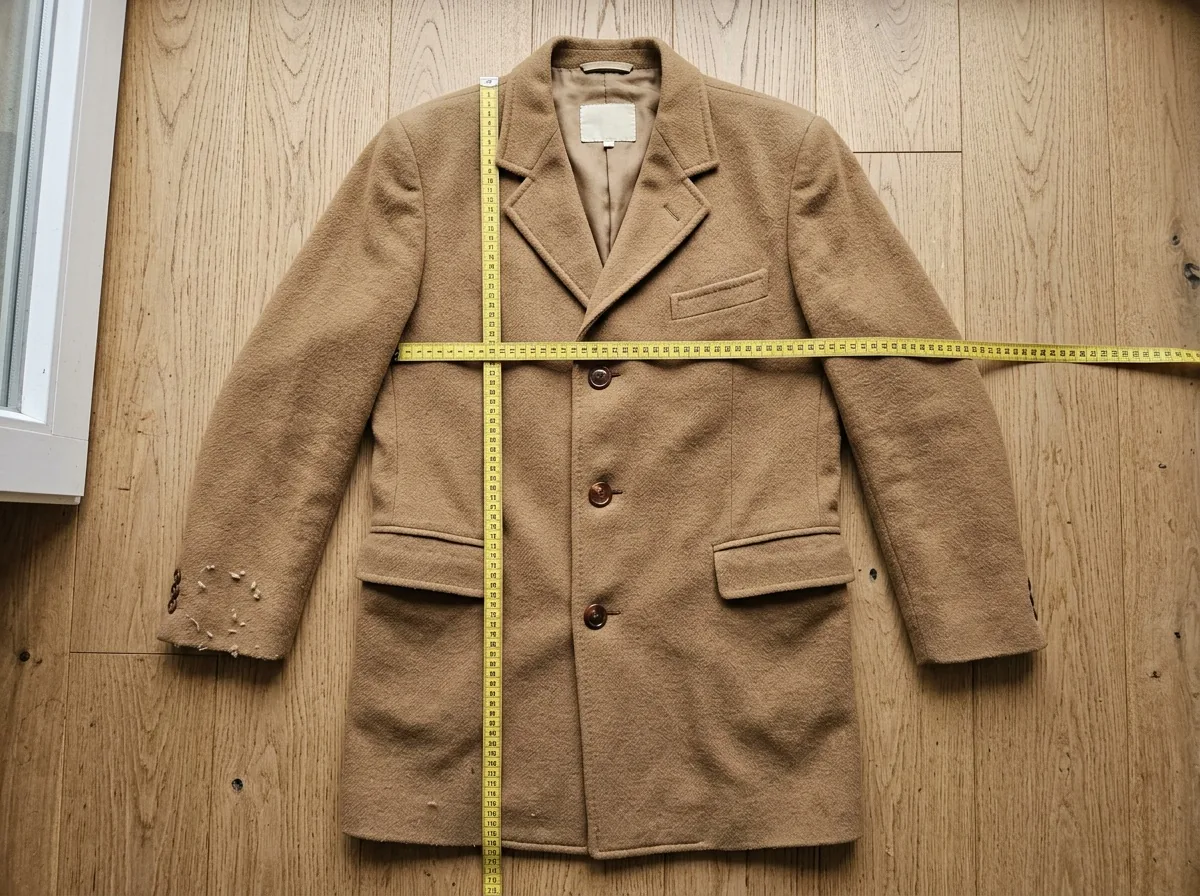 Length and chest came from a tape measure, not from the preview.
Then I measured myself. Back of my neck to the floor, then back of my neck to a spot just below my knee: about 41 inches. So 43 inches would land two inches lower than that, at my upper calf. Close to what the preview showed, as it happened, but now I had a number. I also laid my best-fitting sweater flat and measured pit to pit, then added a couple of inches for layers. The coat's chest measurement left about that much room.
The preview couldn't tell me any of that, and it couldn't tell me whether the wool would itch at my neck or how it smelled. Old wool can smell of storage. I asked. The seller said it had been dry-cleaned before listing, which I couldn't check from home.
Uploading a full-length photo of myself made me read the privacy policy too. It says uploaded photos are auto-deleted after 72 hours unless you save them.
The coat, two weeks later
I bought it. It came folded in a mailer bag, with a faint closet smell that went away after two days on a hanger by an open window. The repaired seam was where the seller said and holds fine. I sewed a loose button back on myself.
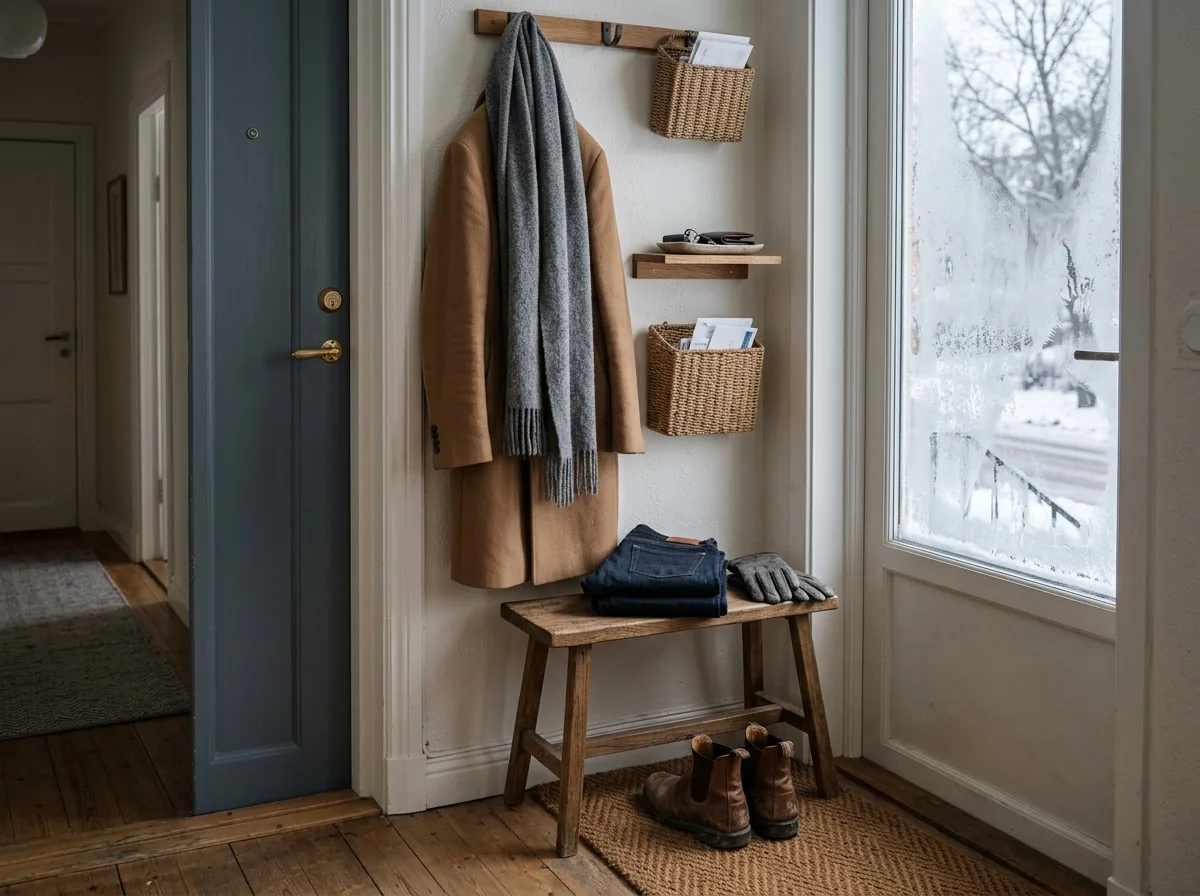 By the front door, where the puffer used to hang.
It hits my upper calf, like the numbers said. The puffer has gone to the back of the closet for the coldest days.
One honest note: the "I" in this story is an illustrative shopper. The listing, the seller and the coat are made up. The steps are the real ones on tryanyoutfit.com today, and we make the tool, so read it with that in mind. If you're looking at a secondhand piece you can't return, you can put the listing photo on your own photo on the virtual try-on page, or in the TryAnyOutfit app on iPhone or Android. A preview helps with color and the overall look. It won't give you a size, the fabric or the condition, so ask the seller for measurements, the label and close-ups first. Our guides to trying on clothes from a store screenshot and trying on a full outfit go further into choosing a good reference photo. The earlier stories in this series: How I Try My Bikinis Virtually, How I Picked a Wedding Guest Dress Without Ordering Three, How I Tried a Burgundy Leather Jacket Before Buying It, How I Chose My Job Interview Outfit on One Photo, How I Picked My Holiday Party Outfit Virtually and How I Tried On My Thanksgiving Outfit From a Screenshot.
Frequently asked questions
Can I try on a thrifted coat from a listing photo of it on a hanger?
Yes. On tryanyoutfit.com/tryon the Outfit box accepts a product photo, a flat-lay or a model photo, as long as the whole garment is visible. Crop out anything else in the frame, add a photo of yourself in the You box, then open both in Studio to generate a preview.
How do I see the coat over my own clothes?
Take your photo in the clothes you'd wear under the coat, full length and facing the camera. You can add a short note such as "coat buttoned, worn over my own sweater and jeans". Results vary with layered clothing, so compare the preview with the listing photo.
Will the preview show me exactly where the coat hem falls?
Not reliably. AI can change seams and proportions. Ask the seller for the length from the back of the collar to the hem, then measure yourself from the back of your neck to where you want the hem to land.
What should I ask a seller before buying a final-sale wool coat?
A photo of the fabric label for wool content, flat measurements (chest, length, sleeve), and close-ups of the lining, cuffs, pockets and buttons for wear, pilling, holes or repairs. A try-on preview can't show any of these.
Is TryAnyOutfit free to use?
Adding photos and choosing settings is free. Generating a preview in Studio needs sign-in and paid credits, one credit per image. There's no free trial, but it's cheap to start. Current options are on the pricing page at tryanyoutfit.com/#pricing.