


The best nail design app depends on what you start with. Got a screenshot of a set you love? I'd use a photo try-on, either TryAnyOutfit's Nail try-on or Nail Diva, and see it on your own hand. YouCam Nails and NailedBy do it live through the camera instead. Gloss invents new sets. We make TryAnyOutfit, so weigh that section accordingly.
Search the App Store for nail apps and half of what comes back is salon games. I left those out. Below are apps that put a design on a hand, yours or a model's, plus one tutorial app for people who paint their own.
Polish bottles are a guess. A preview on your own hand is closer.
TL;DR
- Screenshot from Pinterest, want it on your hand: TryAnyOutfit Nail try-on or Nail Diva.
- Live camera, point at your hand: YouCam Nails (live mode on iOS) or NailedBy.
- No idea yet, want AI to invent a set: Gloss Nail Art or AI Nail Generator Nail Design.
- Building a design by hand on a model hand: Nail Design Studio.
- Doing your own nails at home: Nail Designs - Manicures & Art.
Nail design apps compared
| App | How you see the design | Platforms | Paid options on the US App Store (Nov 7, 2026) |
|---|---|---|---|
| TryAnyOutfit Nail try-on | Your hand photo + any nail reference image | Web Studio, credits shared with the iPhone and Android apps | Cheap to start, see pricing |
| Nail Diva | Your hand photo + inspo or its catalog | iPhone, iPad | Weekly $2.99-$9.99, yearly $14.99-$39.99 |
| YouCam Nails | Live camera (iOS) or a photo | iPhone, iPad | Premium tiers $5.99-$31.99 |
| NailedBy | Live camera on your hand | iPhone; Google Play listing too | Premium $4.99 weekly or monthly |
| Gloss Nail Art | AI-made set from a description or upload | iPhone | Full Access $2.99 a week to $49.99 a year |
| AI Nail Generator Nail Design | AI-made designs from your prompt | iPhone, iPad | $4.99 weekly, $39.99 yearly |
| Nail Design Studio | Manual editor on a model hand | iPhone | From $3.99 weekly, $29.99 yearly |
| Nail Designs - Manicures & Art | DIY tutorials, packs of 20 designs | iPhone, iPad | First pack free, packs $0.99, Pro $19.99 |
Prices change and some apps list several tiers for the same plan, so check the purchase list before you subscribe.
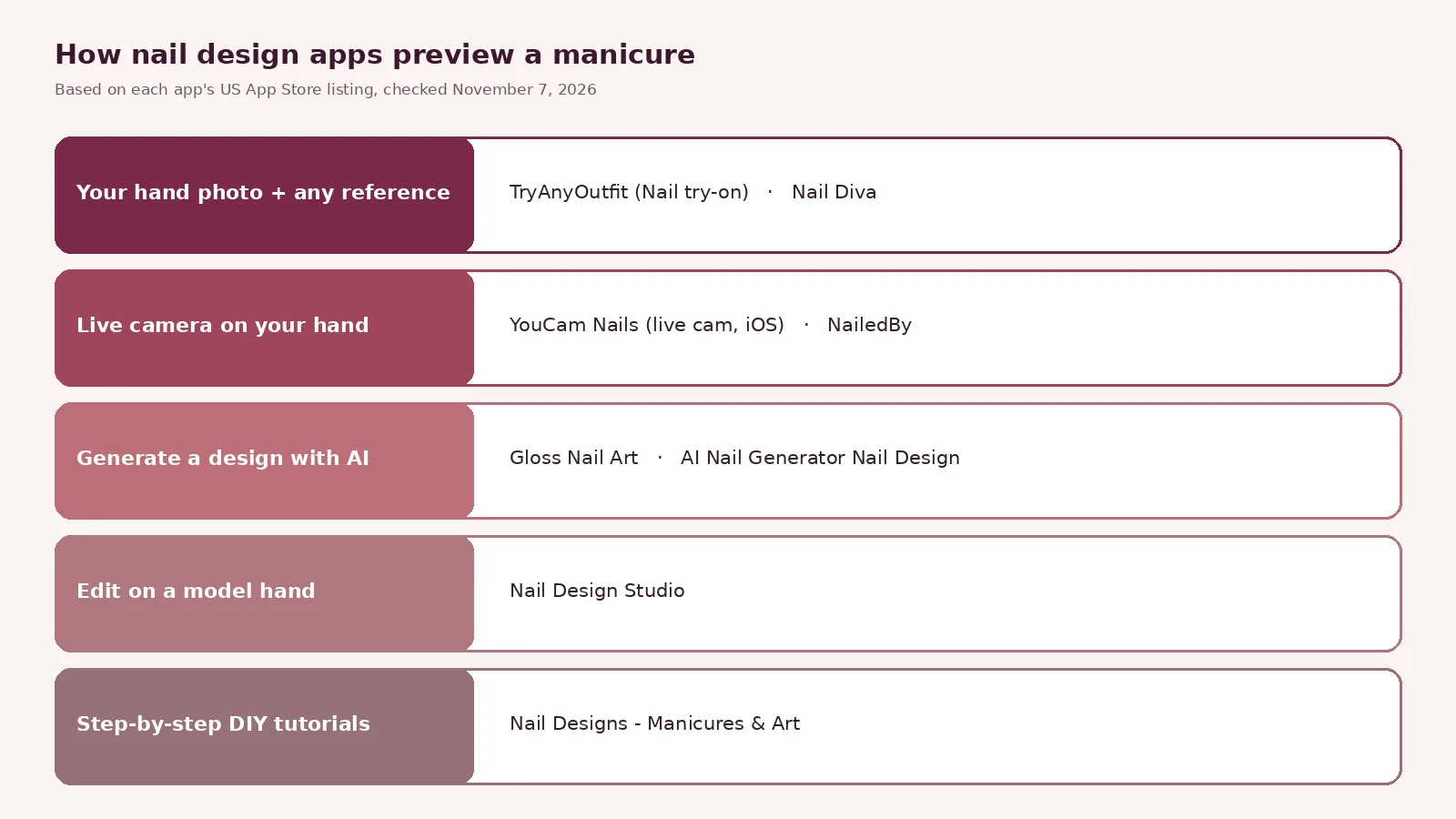
Five different ideas of what a nail design app is for.
1. TryAnyOutfit Nail try-on: if you already have a screenshot
Our own pick for a set you found somewhere else. In Nail try-on you add a hand photo and a nail reference. The reference can be a screenshot from Instagram, a salon menu photo or a press-on product shot. Chips such as Glossy finish, Short almond and Keep jewelry steer the result, and Keep jewelry stops your rings from disappearing.

Nail reference loaded, Short almond selected. Add a hand photo next. Screenshot taken November 7, 2026.
The try-ons page pitches it as a way to check shape and length before an appointment you can't undo. It's an image preview, so talk length and gel versus polish through with your nail tech. Generating needs sign-in and paid credits. It's cheap to start; see the pricing page. Credits are shared between the iPhone and Android apps and the web Studio. Uploaded photos are auto-deleted after 72 hours unless you save them.
The same account also does outfit try-on, which is handy when the nails have to match a dress. Our best virtual try-on apps list covers the clothes side.
2. Nail Diva: photo try-on with a big catalog
Nail Diva works the same way round. Snap your hand, then pick inspo from your camera roll or from its catalog of 10K+ designs. The design lands on your own fingernails. The listing says unlimited try-ons need the paid weekly or yearly plan. One App Store review complains about hitting the paywall before a first try. It has 103 ratings at 4.4.
3. YouCam Nails and NailedBy: live camera try-on
YouCam Nails from Perfect Corp. has the most App Store ratings of the apps here, 5.9K at 4.6. Its live cam mode paints nail art onto your real nails in the camera view. Perfect Corp.'s own page says real-time try-on is iOS only, and there's a photo mode as well. The catalog runs past 1,000 designs, seasonal sets included. You can also build your own with stickers and jewels.
NailedBy, from Pixel Tokyo, is the newer one. Point the camera at your hand and it recognizes your nails, then applies a design from a catalog of hundreds that grows weekly. Save the ones you like to show your nail artist. It's iPhone-only on the App Store and also listed on Google Play, with too few App Store ratings to show a score yet.
4. Gloss Nail Art and AI Nail Generator: when you don't know what you want
Gloss starts from a description or an uploaded image and makes a custom set for you. Its listing also mentions trying sets on your own hand and keeping a history of every set you've had. Generation needs a subscription. It has 1.6K ratings at 4.6, iPhone only.
AI Nail Generator Nail Design is simpler. Type an idea, pick colors, get designs. The listing doesn't promise a preview on your own hand, so I'd pair it with a photo try-on once you've chosen. 357 ratings at 4.5.

Pick a direction first, then preview the one or two that survive.
5. Nail Design Studio and Nail Designs: if you'd rather work by hand
Nail Design Studio is a manual editor. Pick a shape like coffin or stiletto, add a chrome or cat-eye finish, then gems. The preview sits on a realistic model hand with a choice of skin tones, not on your photo. It also keeps notes from salon visits. 268 ratings at 4.7, iPhone only.
Nail Designs - Manicures & Art has no try-on at all. It's step-by-step tutorials meant for doing your nails at home, each with the polish colors you'll need. Designs come in themed packs of 20, and the first pack is free.
Which nail design app should you pick?
Start from what you already have. A screenshot of a finished set needs a photo try-on, and a blank page needs a generator. My own order would be generator first, then photo try-on for the final two.
For seasonal ideas to feed into any of these, see our Thanksgiving nail ideas. Whatever app you use, bring the screenshot to the salon. It beats describing "milky pink, but not that pink".
Sources. App Store and Google Play listings below, plus Perfect Corp.'s YouCam Nails page and our own /tryon and /try-ons pages.
Items mentioned
- TryAnyOutfit Nail try-on: Hand photo plus any nail reference image; web Studio with credits shared with the phone apps.
- Nail Diva: Hand photo plus inspo from your camera roll or a 10K+ design catalog.
- YouCam Nails: Live camera nail try-on on iOS plus photo mode and 1,000+ designs.
- NailedBy: Live camera nail recognition with hundreds of designs added weekly.
- Gloss Nail Art: AI-made nail sets from a description or upload.
- AI Nail Generator Nail Design: Prompt-based nail design generator.
- Nail Design Studio: Manual nail editor on a model hand with skin tone options.
- Nail Designs - Manicures & Art: Step-by-step DIY nail tutorials in themed packs.
Frequently asked questions
What is the best app to try nail designs on your own hand?
If you have a screenshot of a set, a photo try-on such as TryAnyOutfit Nail try-on or Nail Diva puts it on a photo of your hand. For a live camera view, YouCam Nails (live mode on iOS) and NailedBy work on your real nails.
Is YouCam Nails free?
It is free to download with in-app purchases. On November 7, 2026 the US App Store listed Premium tiers from $5.99 to $31.99.
Can an app generate a nail design for me?
Yes. Gloss Nail Art makes a custom set from a description or uploaded image (generation needs a subscription), and AI Nail Generator Nail Design creates designs from a prompt.
Does a nail try-on app show the exact result I will get at the salon?
No. It is an image preview. Length, gel versus polish and what your nails can hold are questions for your nail tech.
What happens to my hand photo on TryAnyOutfit?
Uploaded photos are auto-deleted after 72 hours unless you save them.