


TL;DR: For a free AI Christmas photo from one picture, start with Adobe Firefly or Google Gemini: upload your photo and describe the scene. Aragon and PhotoGPT build whole sets of holiday portraits from selfies and need a paid plan. If you've already found the exact Christmas photo or sweater you want, TryAnyOutfit's face swap and outfit try-on put you in that specific picture.
Booking a holiday mini session in December is its own sport. Skip it. An AI Christmas photo app gets you most of the way from a photo already on your phone. I'd pick by one thing: do you want a brand-new scene, or yourself in a scene you've already found?

The old way meant a tripod and twelve takes on the timer.
The apps at a glance
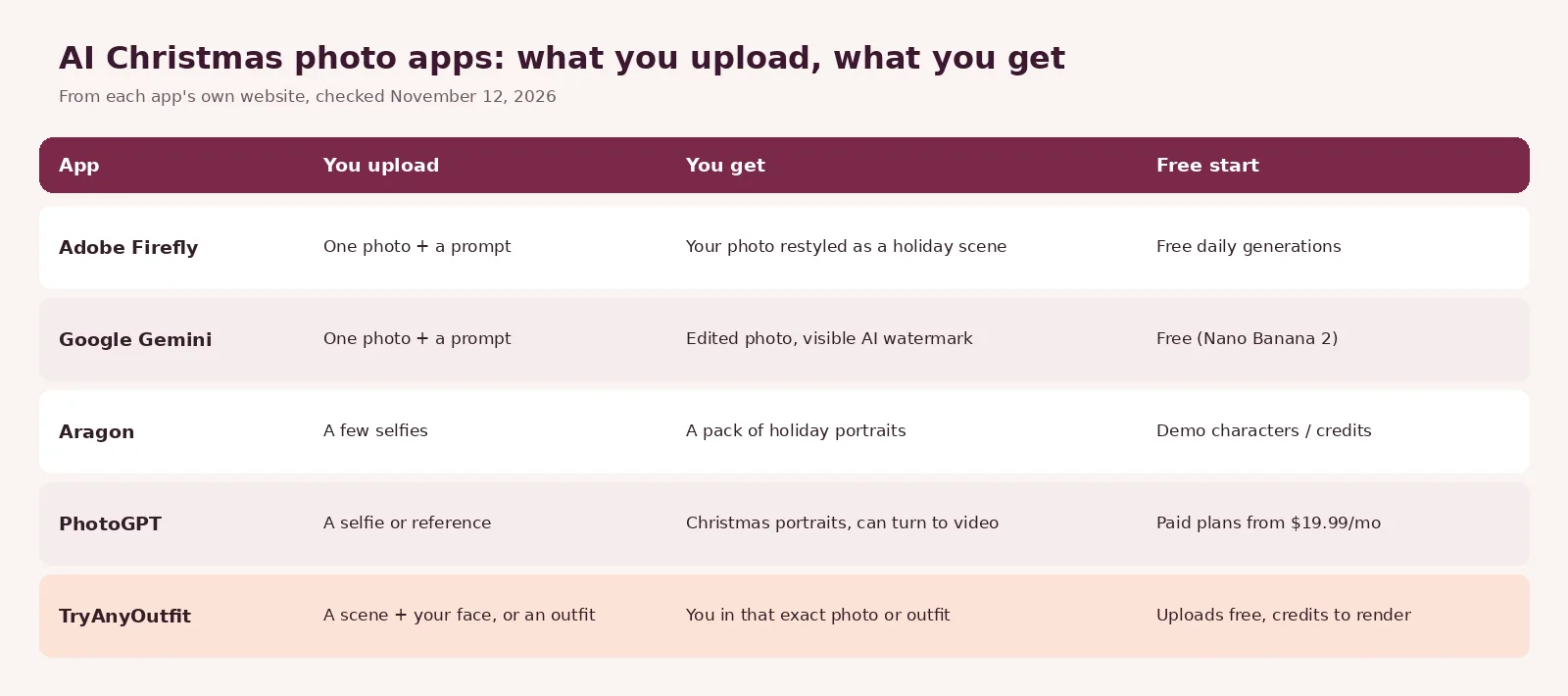
Checked on each app's own website, November 12, 2026.
| App | Best for | What you upload | Cost to start |
|---|---|---|---|
| Adobe Firefly | Restyling one photo, plus card presets | One photo and a prompt | Free daily generations with an Adobe account |
| Google Gemini | Quick edits by chat | One photo and a prompt | Free with Nano Banana 2 |
| Aragon | A full pack of holiday portraits | A few selfies | Plans from $15/month |
| PhotoGPT | Trend styles and short videos | A selfie or reference photo | Plans from $19.99/month |
| TryAnyOutfit | Putting yourself in a photo you already picked | A scene photo and your face, or an outfit and your photo | Cheap to start; see pricing |
1. Adobe Firefly: the best free place to start
Firefly has a page built just for this. Sign in with a free Adobe account, open Generate Image, upload a photo as a reference and describe the holiday look: snowy backdrop, warm lights, a fireplace. Adobe says a free account gets free daily generations, with paid plans for more volume.
I like two extras here. Firefly Boards has holiday presets ("Winter Greeting" and "Holiday Helpers") that turn your photos into illustration-style or claymation-style cards. And Firefly can colorize or upscale old family Christmas photos. Downloads are JPG or PNG at up to 2000 × 2000 pixels. At 300 dpi that prints a sharp square of about 6.6 inches, plenty for a card.
2. Google Gemini: free edits by chat
Gemini's image model, Nano Banana 2, is free in the Gemini app. Pick "Create images" from the tools menu, upload your photo and ask for the change: a tree behind you, snow outside the window, a red sweater. Google's own description of the editor is telling Gemini to "change the background, replace an object, or add an element".
Paid Google AI plans get Nano Banana 2.1 and higher limits. One catch for cards: Google says Gemini adds a visible watermark to generated images, plus an invisible SynthID mark. If you're printing a card, check where that watermark lands before you order.
3. Aragon: a whole holiday photo pack from selfies
Aragon works differently, and it's my pick if you want volume. Instead of editing one photo, you upload a few selfies from different angles and pick a holiday style, and it creates a set of Christmas portraits with the outfits and scenes added. You don't need to own a Christmas sweater. For family cards, each person uploads their own selfies and gets matching portraits.
Honestly, the free part is murky. Aragon's Christmas page says free credits come with your account. Its main photo generator FAQ says you can try styles free with demo characters, but photos of yourself need a paid pack or subscription. Plans on that page start with Aragon Lite at $15 a month for 300 credits, and the FAQ says a pack has up to 12 photos.
4. PhotoGPT: trend styles and short videos
PhotoGPT's Christmas preset takes a selfie or reference photo plus a written description of the look. It leans hard into trends. There's a vintage "Ralph Lauren Christmas" preset and Santa looks, with vertical shots sized for Reels. Like a result? Turn it into a short video.
It's subscription-only as far as we could see. The Starter plan is $19.99 a month for 5,000 credits, or $99.99 every six months.
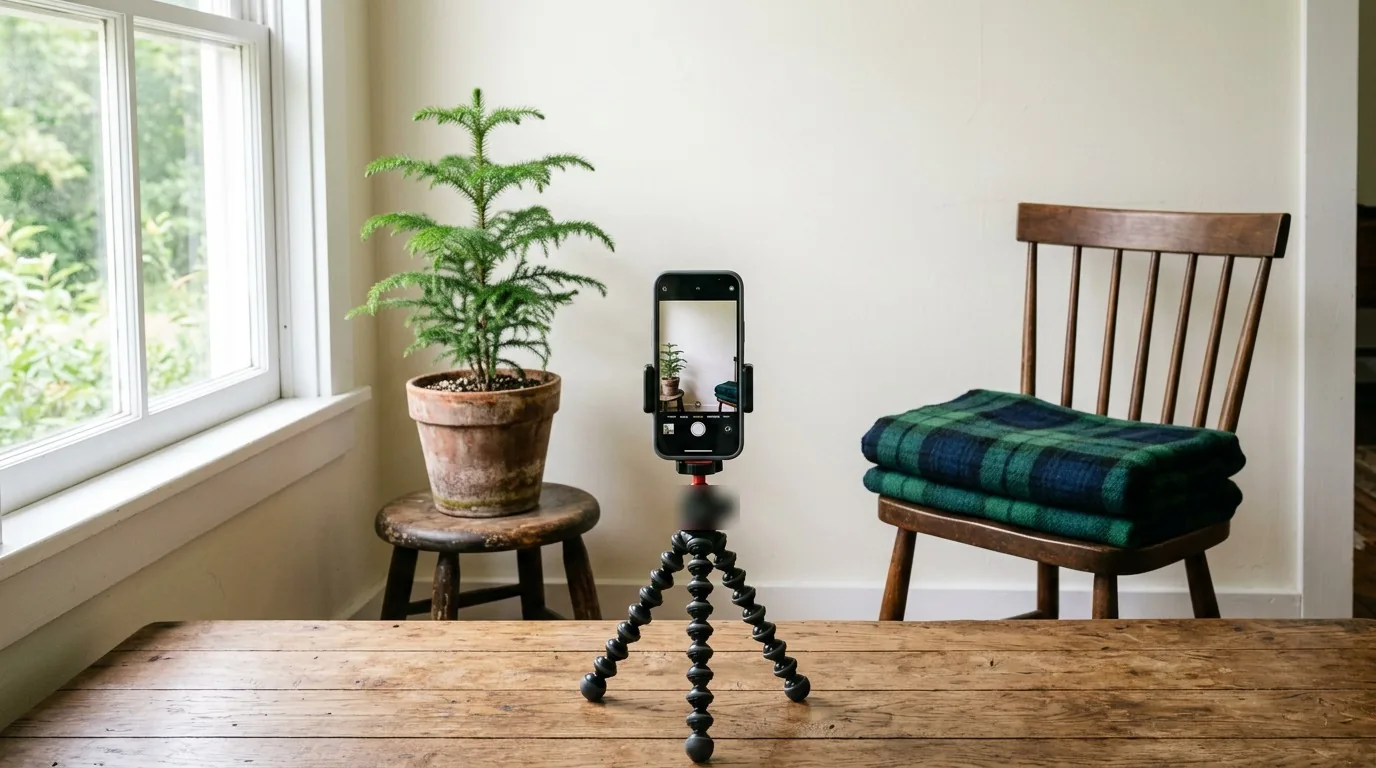
The photo you start from matters more than the app. Window light, face clearly visible, nothing covering your clothes.
5. TryAnyOutfit: put yourself in a photo you already found
We make TryAnyOutfit, so read this one knowing that. It doesn't invent a Christmas scene from a prompt. It's for the moment you've already found the picture: a cozy tree portrait on Pinterest, a matching-pajama shot, a festive sweater in a shop.
Face swap keeps the scene and the outfit as they are and puts your face in place of the person in the photo. You add the scene photo and a face reference, then pick options like Keep the pose or Keep the background. Please only use photos you have the right to use. Ask first before swapping anyone else's face. If it's the clothes you're after, outfit try-on puts that sweater or dress on your own photo instead. More on both in our guide to face swap apps and the try-on modes.

Scene added, Keep the background on. A face reference goes in next, then you generate in Studio. Screenshot taken November 12, 2026.
There's also an Edit mode where you describe a change in a sentence, such as removing the background or cleaning up the light. We haven't confirmed how well it builds a whole holiday backdrop, so for a brand-new scene start in Firefly or Gemini. Uploads are free, and generating needs an account and credits. It's cheap to start; see pricing. Uploaded photos are auto-deleted after 72 hours unless you save them. Use it on your phone or in the web Studio.
Which one should you use?
For one festive photo at no cost, I'd go Firefly first and Gemini second. For a full set of portraits and you're fine paying, Aragon. PhotoGPT if you're chasing a specific trend look or want a video. And TryAnyOutfit when you already know the photo or the outfit.
Whatever you pick, zoom in before you print. AI holiday photos still slip on hands and on any lettering in the background. If you're planning a real photo session instead, our guide to Christmas family photo outfits covers what to wear.
Sources
Items mentioned
- Adobe Firefly: Restyles one uploaded photo into a holiday scene, with free daily generations and card presets.
- Google Gemini: Free photo edits by chat with Nano Banana 2, with a visible AI watermark.
- Aragon: Turns a few selfies into a pack of holiday portraits; plans from $15 a month.
- PhotoGPT: Christmas preset for trend-style portraits and short videos; plans from $19.99 a month.
- TryAnyOutfit: Face swap and outfit try-on that put you in a specific photo or outfit you already found.
Frequently asked questions
Is there a free AI Christmas photo generator?
Yes. Adobe Firefly gives free daily generations with a free Adobe account, and Google Gemini includes its Nano Banana 2 image model for free. Both let you upload your own photo and describe the holiday scene.
How do I put myself in a Christmas picture with AI?
Upload a clear, well-lit photo of yourself to an editor like Firefly or Gemini and describe the scene, such as a tree and warm lights behind you. If you already have the exact Christmas photo you want, a face swap tool such as TryAnyOutfit Face swap keeps that scene and puts your face in it.
Which AI Christmas photo app makes a full set of portraits?
Aragon and PhotoGPT both generate sets of holiday portraits from selfies. Aragon plans start at $15 a month and PhotoGPT at $19.99 a month, as of November 12, 2026.
Can I print AI Christmas photos for cards?
Yes, but check resolution and watermarks. Adobe Firefly downloads go up to 2000 x 2000 pixels, about a 6.6-inch square at 300 dpi. Google says Gemini adds a visible watermark to generated images.