


TryAnyOutfit
See that outfit on you.
A specific look from any photo, on your real photo.
- Your photo, not an avatar
- Change only the top or bottom
- Recolor with a text instruction
- iPhone, Android and web Studio
TryAnyOutfitvsKolors Virtual Try-OnTL;DR: Pick Kolors Virtual Try-On for the Kwai-Kolors research interface for person-and-garment inputs. Pick TryAnyOutfit to put an outfit from any photo on your real photo, change only the top or bottom, or recolor clothing on iPhone, Android or the web.
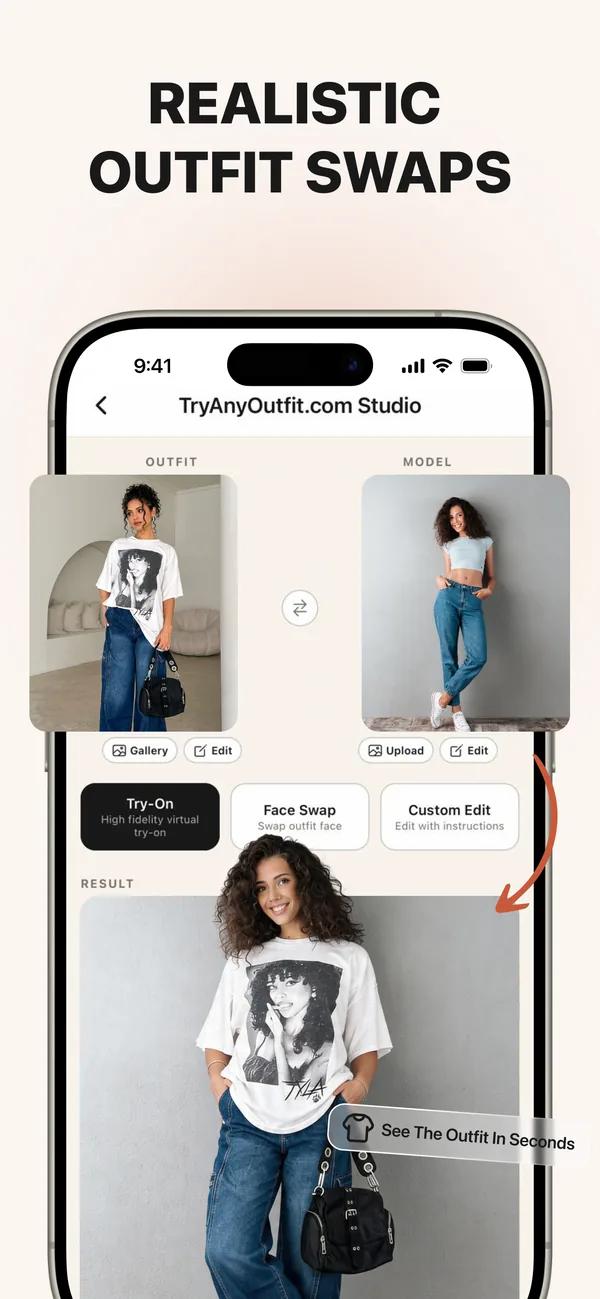

Product visuals from their respective owners, shown with equal space. These are separate examples, not a controlled image-quality test. No affiliation or endorsement.
Choose by what you want to do
TryAnyOutfit
A specific look from any photo, on your real photo.
Kolors Virtual Try-On
The Kwai-Kolors research interface for person-and-garment inputs.
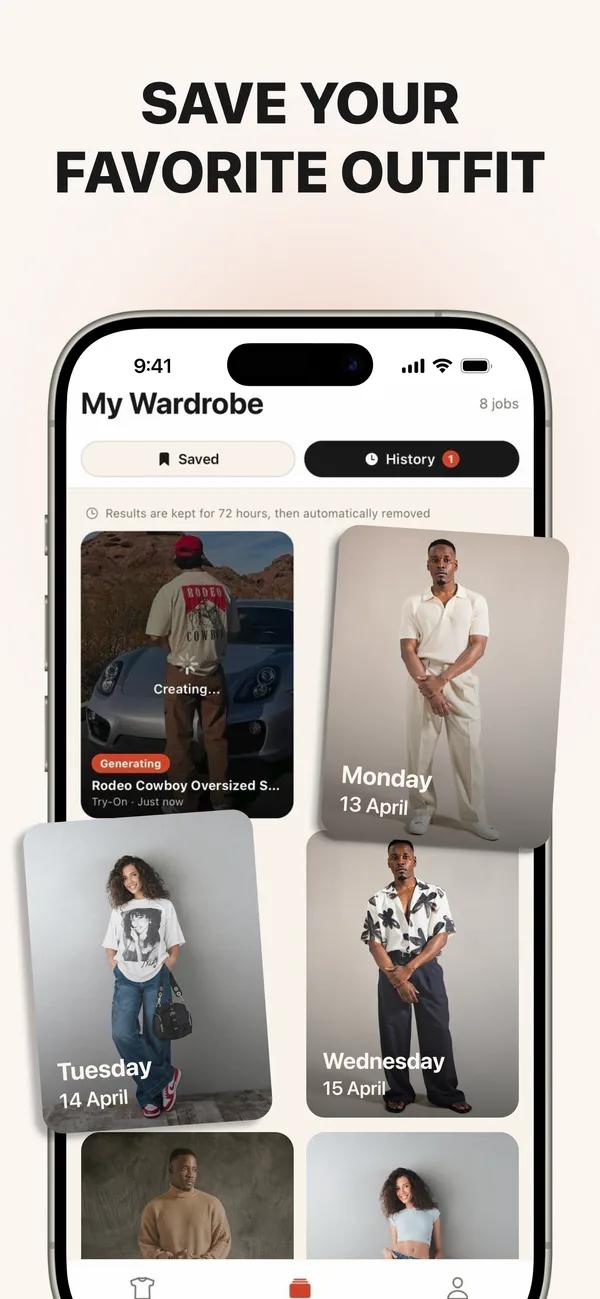
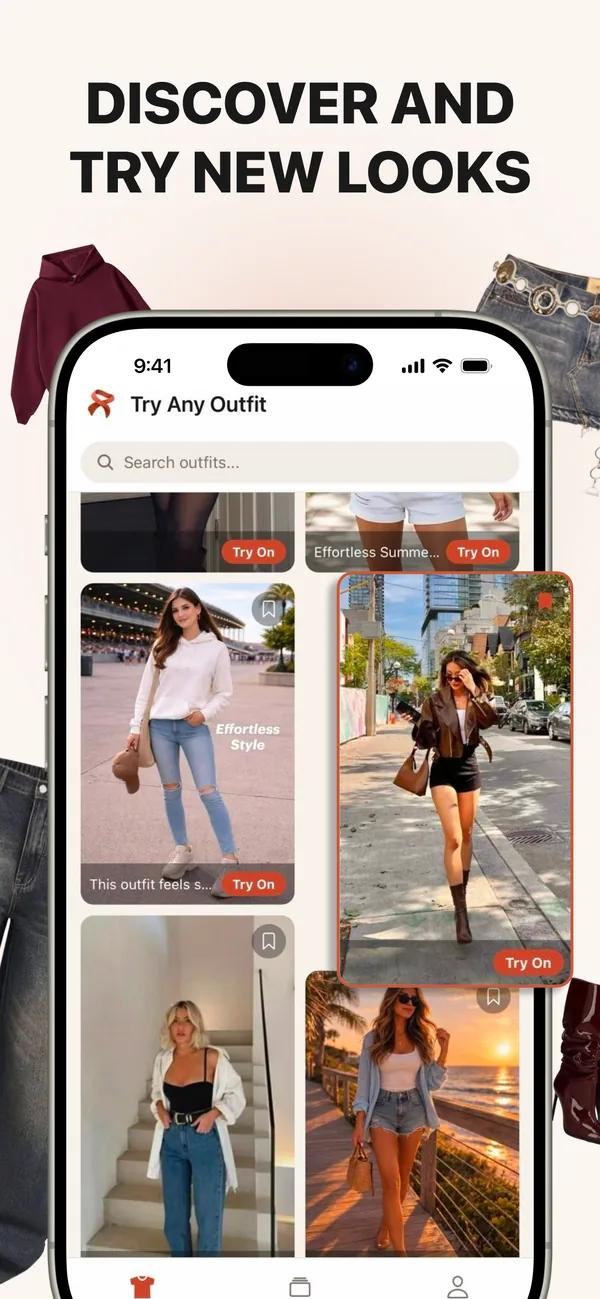

Product visuals from their respective owners, shown with equal space. These are separate examples, not a controlled image-quality test. No affiliation or endorsement.
| Topic | TryAnyOutfit | Kolors Virtual Try-On |
|---|---|---|
| Core job | Preview a specific outfit on your real photo. | The Kwai-Kolors research interface for person-and-garment inputs. |
| Try-on subject | Your real photo, not an avatar. | The person photo supplied to the research interface. |
| Outfit source | Any clothing photo or screenshot. | Garment images and examples in the official Space. |
| Top-only / bottom-only edits | Both are supported. | Not established in this review; check the current product before relying on it. |
| Recolor | Use a text instruction to change clothing color. | Not established in this review; check the current product before relying on it. |
| Closet / planner | Save previews; a weekly wardrobe planner is not the focus. | A dedicated closet and planner were not established in this review. |
| Color analysis | Preview a clothing color; not personal color analysis. | Not established in this review; check the current product before relying on it. |
| Shopping | Preview a store find and buy wherever you choose. | This review does not compare its checkout or shopping catalog. |
| Platforms | iPhone, Android and web Studio, with shared credits. | Browser interface hosted as a Hugging Face Space; current service availability can vary. |
| Photo retention | Uploaded photos are auto-deleted after 72 hours unless you save them. | A comparable retention period was not verified here; read its current privacy policy. |
| AI providers disclosed | See our privacy policy; provider performance is not compared here. | Provider disclosures were not compared in this review. |
| Pricing | Cheap to start; paid credits and no free trial. | Prices are not compared here; check the current official product. |
| Free option | No free trial. | Current free allowances and limits were not compared in this review. |
| Fit / size | A visual preview, not a fit or size tool. | This review does not establish measurement or size accuracy; check garment measurements separately. |
| App Store rating | Not compared in this review. | Not compared; no rating or review-count claim is made. |
| Other tools | Top only, Bottom only and recoloring with a text instruction. | Official Kwai-Kolors Space; Person and garment inputs; Supplied example photos; Public interface source code. |
We make TryAnyOutfit. This is a product and workflow comparison, not an independent performance test. Unverified features are labeled rather than treated as absent.
Choose Kolors Virtual Try-On for its documented workflow. Choose TryAnyOutfit for a specific outfit preview on your real photo.
Choose Kolors Virtual Try-On when this is the workflow you need: The Kwai-Kolors research interface for person-and-garment inputs. Choose TryAnyOutfit when your main question is how a specific outfit looks on your own photo.
Kolors Virtual Try-On's documented options include official Kwai-Kolors Space, person and garment inputs, supplied example photos, public interface source code. Those are product differences, not evidence that one tool produces a more accurate image.
In TryAnyOutfit, add a clear photo of yourself and the outfit photo or screenshot. Generate a preview with paid credits, then use the retailer's size chart to decide what to order.
Kolors Virtual Try-On uses this input flow: Garment images and examples in the official Space. Its preview subject or workflow is described as: The person photo supplied to the research interface. Follow its current instructions rather than assuming that every product accepts the same inputs.
Choose Top only or Bottom only in TryAnyOutfit to change one part of the outfit. Give a text instruction when you want to preview another clothing color.
Dedicated equivalent top-only and bottom-only controls were not verified for Kolors Virtual Try-On here. That does not mean they are absent; check the current tool if these edits are essential.
Open the official Kwai-Kolors Space, review its person and garment examples, and check whether the hosted interface is currently available.
Use TryAnyOutfit for an individual photo preview during that process. Its outfit preview does not replace a retailer's measurements, a product editor's other tools or a wardrobe planner.
A generated image helps you compare a look. It does not prove fabric quality, comfort, measurements or the size you should order. This guide is not an independent image-quality test.
TryAnyOutfit has no free trial. Uploaded photos are auto-deleted after 72 hours unless you save them. For Kolors Virtual Try-On, a matching photo-retention period was not verified in this review; read the current policy before uploading. Unverified capabilities are labeled rather than treated as missing.
Choose it when this is the product workflow you need: The Kwai-Kolors research interface for person-and-garment inputs. Its documented options include Official Kwai-Kolors Space, Person and garment inputs, Supplied example photos, Public interface source code.
Yes. Add an outfit photo or screenshot alongside your real photo. TryAnyOutfit makes the preview; you can buy wherever you choose.
TryAnyOutfit supports Top only, Bottom only and recoloring with a text instruction. For Kolors Virtual Try-On, dedicated equivalent part-only controls were not verified in this review
Browser interface hosted as a Hugging Face Space; current service availability can vary. TryAnyOutfit runs on iPhone, Android and web Studio, with shared credits.
TryAnyOutfit has no free trial and uses paid credits. Uploaded photos are auto-deleted after 72 hours unless you save them. Check the other product's current terms and privacy policy separately.
TryAnyOutfit is not a fit or size tool. This comparison does not establish measurement accuracy for the other product. Consult the retailer's size chart, garment measurements and return terms.
Competitor facts reflect the Oct 28, 2026 check. App Store ratings, prices and search positions can change; live listings may differ from that snapshot.
See TryAnyOutfit privacy and current pricing. TryAnyOutfit has no free trial.