


You saved a screenshot. The seller link is gone. That search — "app to find clothes from a picture" — is for this exact mess.
Below: one free Google method, then five tools that take a photo or screenshot and return shoppable matches. We make TryAnyOutfit, so our last section is Get the look. Upload a look, find similar clothes with shopping links, then try a match on your photo if you want. We haven't ranked match quality. Visual search finds similar items. It does not measure fit.

Point the camera at a look you saved. Compare the shopping matches before you buy.
Free method: Google Lens
Google Lens can search what you see with a camera, an image, or a screenshot. On the official Lens page, "Shop what you see" covers looking up who makes something, how much it costs, and where to buy it. You can refine with text for a different pattern or colour. Shopping results in Lens are available in the United States (and a long list of other countries Google names on that page).
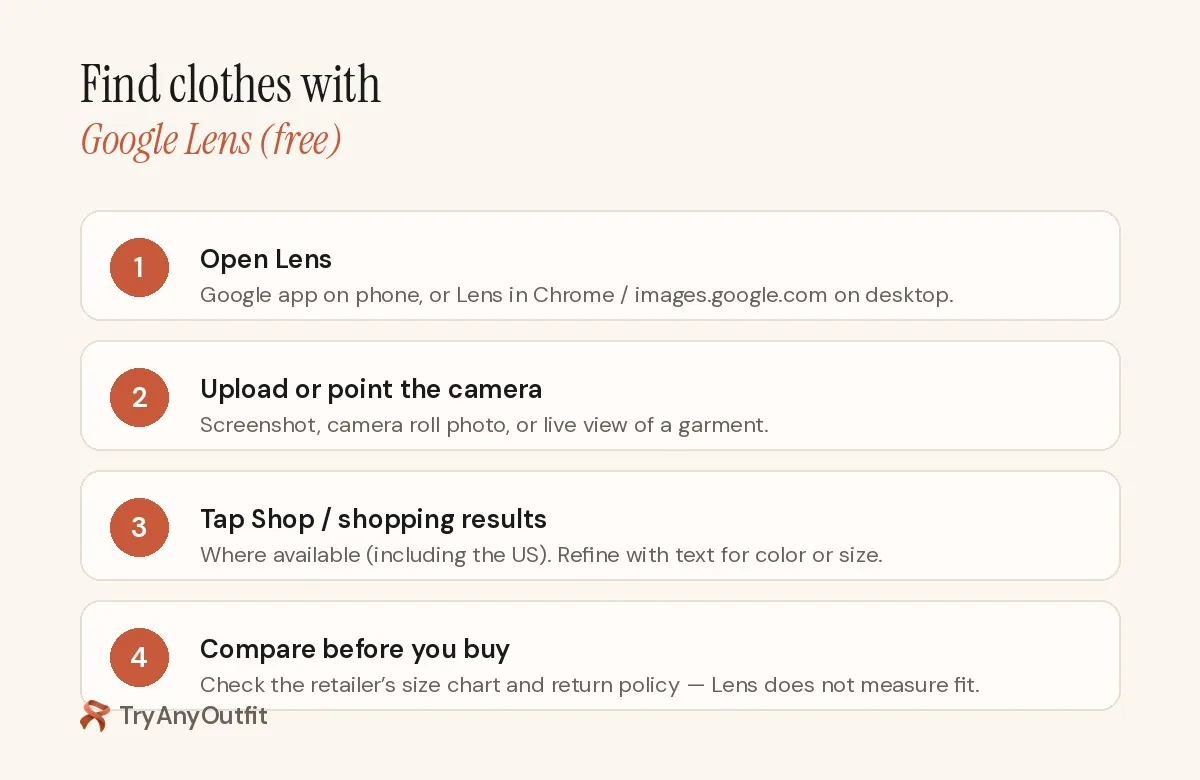
Lens is free. The checkout still belongs to the retailer.
How to run it:
- Open Lens in the Google app, or use Lens from Chrome / Google Images on a computer.
- Upload a screenshot or photo, or point the camera at the garment.
- Choose shopping results when they appear. Add a short text refine if the first hits are the wrong colour.
- Open the store page. Check the size chart and the return policy yourself. Lens will not.
Crop tightly around the piece you care about. Busy backgrounds and heavy filters confuse visual search.
Five apps that find clothes from a picture
| Tool | Best for | Where it shops | Free side | Paid side (US, Oct 2026) |
|---|---|---|---|---|
| Google Lens | Broad web matches, no install required | Web shopping results | Free | — |
| Amazon StyleSnap / Shop the Look | Amazon-only visual search | Amazon catalog | Free in the Amazon app | — |
| ASOS Style Match | Similar products inside ASOS | ASOS | Free with the ASOS app | — |
| Screenshop | Circle a piece in a screenshot and shop | Multiple (per listing) | Free download | Unlimited $3.99 / $6.99 |
| Refind | Secondhand matches from a photo | Vinted, Depop, Vestiaire, Grailed (per listing) | Free download | Weekly $4.99; Monthly $9.99; Yearly $44.99 |
| TryAnyOutfit Get the look | Similar clothes + optional try-on on your photo | Shopping links from a look you upload | Setup free | Credits for try-ons (packs from $2.99) |
Amazon StyleSnap / Shop the Look. Amazon's visual search in the Amazon app lets you upload a photo or screenshot and shop similar products on Amazon. The help page says you can circle an item when auto-detect misses it, and add text to refine brand or colour. Results stay inside Amazon's catalog. Fine if you already shop there. Limiting if you don't.
ASOS Style Match. The ASOS app lists Style Match: take a picture or upload one, and it finds similar products inside ASOS. About 4.9 stars from hundreds of thousands of ratings on the US App Store. Useful when you already buy from ASOS. Not a cross-store scavenger hunt.
Screenshop. The listing describes snap-or-upload, then circle-and-shop for the item or similar affordable replicas. It also pitches an AI stylist for fit checks. US IAP shows Unlimited at $3.99 and $6.99. About 4.4 stars from roughly 780 ratings. Last update on the listing we checked was January 2026. Confirm it still works before you subscribe.
Refind. Built for secondhand. The listing says snap a photo or screenshot and match similar items across Vinted, Depop, Vestiaire Collective and Grailed. You can filter by price or brand. US IAP includes Weekly at $4.99, Monthly at $9.99 and Yearly at $44.99. About 4.5 stars from roughly 810 ratings.
TryAnyOutfit Get the look
On tryanyoutfit.com, Get the look is the feature for finding pieces from a photo. Upload a look you like and find similar clothes, with links to shop. That sits next to try-on and Discover. The wardrobe planner and AI stylist live in the same app.

Screenshot of a look on the left. Similar shoppable matches on the right.
A practical loop:
- Upload the screenshot or product photo into Get the look.
- Open the shopping links. Compare colour and cut with the original image.
- If a match looks promising, run a try-on in the web studio or the iPhone / Android app on a clear photo of yourself.
- Keep the winner. Drop the rest.
Setup is free. Each try-on, face swap or custom edit costs one credit. Packs are 5 for $2.99, 15 for $4.99 or 30 for $8.99. Plans are 20 try-ons for $7.99 a week or 50 for $14.99 a month. Confirm prices on the FAQ before you buy.
We preview a look. We don't measure fit or choose a size. For try-on apps compared side by side, see best virtual try-on apps. If you already have a digital closet and want outfit ideas from clothes you own, see best AI stylist apps.
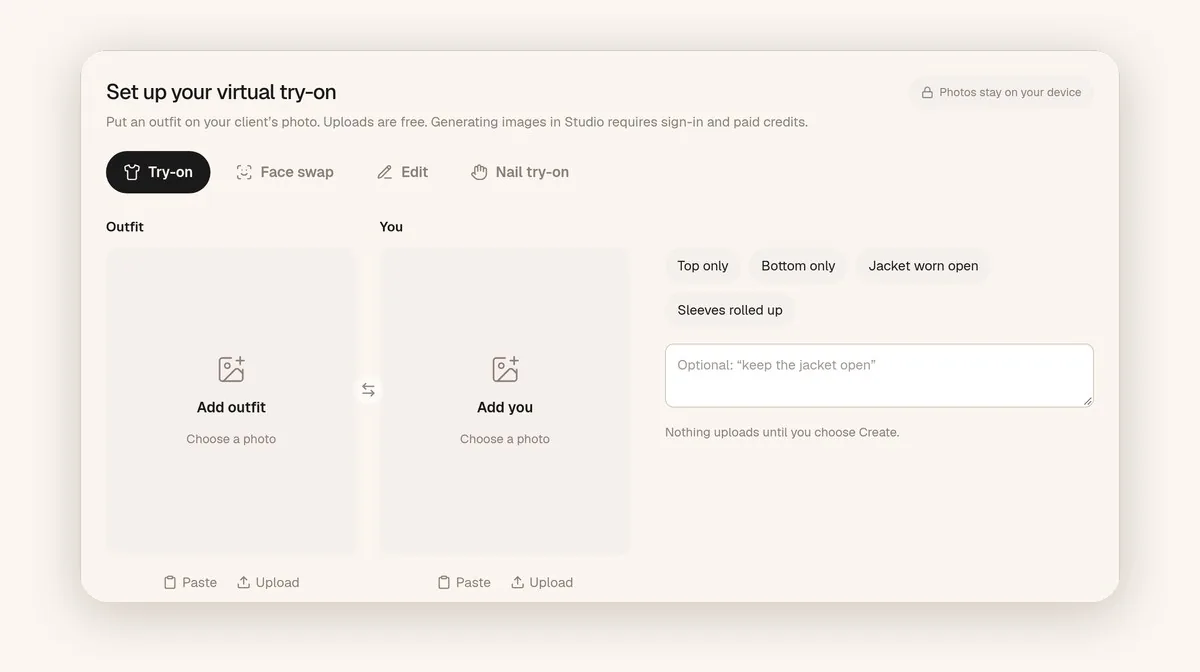
After you find a match, the studio is where you put it on your photo.
Which method should you use?
Start with Google Lens. It's free and searches beyond one store.
Use Amazon StyleSnap if you only want Amazon results. ASOS Style Match if you already shop ASOS. Screenshop if you want circle-and-shop on a screenshot. Refind if you'd rather buy the look secondhand.
If you also want to see a match on your own photo before you pay, that's Get the look plus try-on.
Sources
Listings and help pages checked on October 15, 2026. Prices and catalog coverage change.
Items mentioned
- Google Lens: Free visual search with shopping results in the US and other countries Google lists.
- Amazon StyleSnap: Upload a photo in the Amazon app to shop similar Amazon products.
- ASOS Style Match: Take or upload a picture to find similar products inside ASOS.
- Screenshop: Circle a piece in a screenshot and shop matches or replicas.
- Refind: Find secondhand matches from a photo across major resale apps.
- TryAnyOutfit Get the look: Upload a look, find similar clothes with shopping links, optional try-on.
Frequently asked questions
How do I find clothes from a picture for free?
Use Google Lens with a camera, image or screenshot, then open shopping results where available. Compare size and returns on the retailer's page before you buy.
What app finds clothes from a screenshot?
Google Lens, Amazon StyleSnap, ASOS Style Match, Screenshop and Refind all accept a photo or screenshot. TryAnyOutfit Get the look finds similar clothes with shopping links.
Does TryAnyOutfit have Get the look?
Yes. On tryanyoutfit.com, Get the look lets you upload a look you like and find similar clothes with links to shop.
Can visual search tell me my size?
No. These tools find similar items. Size and fit still come from the retailer's chart and return policy.