


Short answer: most virtual fitting room apps show you the look, not the fit. The photo apps below put clothes on a picture of you. That's useful for color and styling. None of them measures your body or picks your size. For that you need a different kind of tool: a body scanner like ZOZOFIT, a made-to-measure shop like MTailor, or the size advice built into a store's product page.
We make TryAnyOutfit, and its App Store listing calls it an "AI-powered virtual fitting room". So we'd better be clear about what that phrase covers. Our app previews a look. It doesn't measure fit or choose a size, and neither do the other photo apps here.
A fitting room answers two questions at once: how it looks and whether it fits. Apps usually answer one.
| App or tool | What it tells you | How it works | Price (US, October 2026) | Where |
|---|---|---|---|---|
| TryAnyOutfit | How an outfit looks on you | Your photo plus any outfit image or screenshot | Packs from 5 try-ons for $2.99 | iPhone, Android, web |
| FitRoom | How an outfit looks on you | Your photo plus a garment photo | App $4.99 a week or $29.99 to $39.99 a year; web has a free tier | iPhone, Android, web |
| My Fitting Room | How an outfit looks on you | Your photo plus a clothing image | Subscription, $9.99 a week or $59.99 a year in the listing | iPhone |
| Google Try-On | How an item might look on you | Eligible tops, bottoms and dresses in Google results | No charge listed | Google Search, Shopping, Images |
| ZOZOFIT | Your body measurements | 3D body scan with your phone | Free app; Premium from $2.99 a month | iPhone, Android |
| MTailor | Clothes cut to your measurements | Phone measures you, then it makes the clothes | Per item | iPhone |
| Store size tools | Which size to order | Size advice on a retailer's product page | Free to shoppers | Retailer sites |
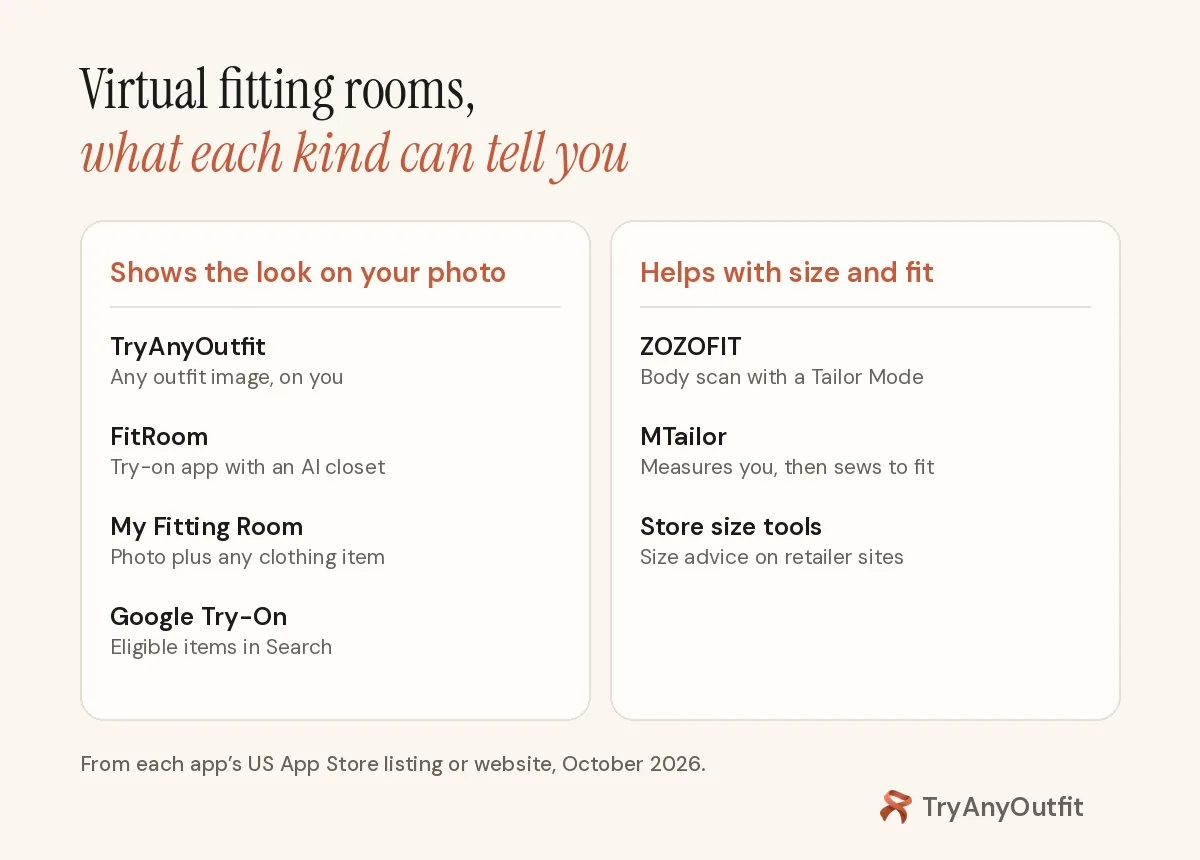
Two different jobs share one name.
Look or fit: what the apps actually check
A real fitting room tells you two things. One is the look: does the color suit your skin, does the neckline work, would you wear it with your shoes. The other is fit: will the waist close, do the sleeves end at your wrist, is the fabric tight across the back.
Photo try-on apps work on the first question. They take a picture of you and a picture of the clothes and generate an image of you wearing them. The image can be convincing, but nothing in it comes from a tape measure. Google says this plainly on its own help page: the generated image "does not determine or guarantee the actual fit of the garment", and it sends shoppers back to the size chart and the reviews.
Fit needs numbers. Either the app measures you, or it compares your size history with what other shoppers bought and kept. Those tools usually show you no outfit at all.
Apps that show the look
TryAnyOutfit
Upload a clear photo of yourself and an outfit image: a product photo, a screenshot from a store, a look you saved. The app returns a picture of you wearing it. Face Swap puts your face on a full model or editorial look instead, and Custom Edit handles small changes like rolling up sleeves or swapping the background. There's also a digital wardrobe and an AI stylist.
It runs on iPhone and Android, and in the web studio on a computer. Each try-on uses one credit: 5 for $2.99, 15 for $4.99 or 30 for $8.99, or plans of 20 try-ons for $7.99 a week and 50 for $14.99 a month. It's rated 4.3 from 52 ratings on the US App Store. Our FAQ puts the limit the same way we do here: the result previews the look, it doesn't measure fit or guarantee a size.
FitRoom
Search Google for a virtual fitting room app and FitRoom's store pages sit near the top. Its listing is aimed at shoppers and sellers at once: change the clothes in your own photos, or put products on its AI models for store images. It also has a smart closet for saving outfits.
On the web, the free plan gives 10 credits a month with a FitRoom watermark and up to 10 wardrobe items. In the iPhone app, plans run $4.99 a week or $29.99 to $39.99 a year. It's rated 4.6 from 256 ratings on the US App Store.
My Fitting Room
My Fitting Room is a smaller iPhone app with the same basic idea: upload your photo, pick a clothing item from your camera roll or a screenshot, and see it on you. Its own listing says "no models, no measuring", which is a fair summary of what any app in this section does.
Try-on needs a subscription. The listing's in-app purchases show $9.99 a week or $59.99 a year, plus a discounted $29.99 yearly offer, while its description quotes $6.99 and $39.99. Check the price in the app before you subscribe. It's rated 4.6 from 419 ratings, and the last update shipped in August 2026.
Google Try-On
Google's version isn't an app. When you search for a top, bottoms or a dress on Google, some product results show a Try it on button. You upload a full-body photo or a selfie, and Google generates the item on you. In the US you need to be signed in and at least 18. Lingerie and swimwear aren't supported, nor are accessories. Sponsored products don't get the button either.
There's one setting worth knowing: you can tell Google the clothing size you usually wear to "improve body shape accuracy". That shapes the picture. It still isn't a size recommendation, and Google's help page says to check the size chart. We compared it with our app on TryAnyOutfit vs Google Try-On.

The phone can show the outfit. The waistband still needs a number.
Tools that help with size and fit
ZOZOFIT
ZOZOFIT is mostly a fitness tracker, built on body scans. It scans you with the phone camera in under two minutes and gives measurements at 16 points, then tracks them over time. The part that matters here is Tailor Mode, which the listing describes as finding your clothing size from those measurements.
The app is free on iPhone and Android. On iPhone, the listing recommends the 12 Pro and 13 Pro models or an iPhone 14 and later. Premium costs $2.99 to $4.99 a month or $19.99 to $29.99 a year on the US App Store, with a $99.99 lifetime option. You can also buy the ZOZOSUIT, a measuring bodysuit that includes Premium. It's rated 4.7 from about 7,900 ratings. What it won't do is show you in a new outfit.
MTailor
MTailor skips the size question. The app measures you with your phone's camera, in under 30 seconds per its site, and then makes the clothes to those measurements. It claims the result is 20% more accurate than a professional tailor. That's MTailor's claim; we haven't tested it.
The range is mostly menswear, from dress shirts and suits to chinos and tees. Women get custom jeans. Shipping and returns are free, and the listing promises a full refund if you don't like the order. Prices depend on the item, so check the site. It's rated 4.6 from about 5,000 ratings.
Size tools on store sites
The most common fit tools aren't apps you download. Many clothing stores add a size widget to their product pages. True Fit, for one, says it draws on 20 years of purchase and return data to recommend sizes. Fit Analytics sells a Fit Finder widget that recommends a size from your answers plus the store's sales and return data. If a store shows a "find my size" link, use it. It's the closest thing to a fitting room's second question.
How to use a virtual fitting room before you buy
- Pick a photo of yourself in good light, standing straight, with your body visible. Our photo guide shows what works.
- Screenshot the product, or save its main photo. A clear front view gives a cleaner result.
- Run the try-on and judge the look: color against your skin, the length, how it sits with the rest of the outfit.
- Compare the result with the product photo. Generated images can shift a print, a pocket or a logo.
- Pick the size from the store's size chart or size tool, or from your own measurements if you've scanned them.
- Read the return policy before you pay.
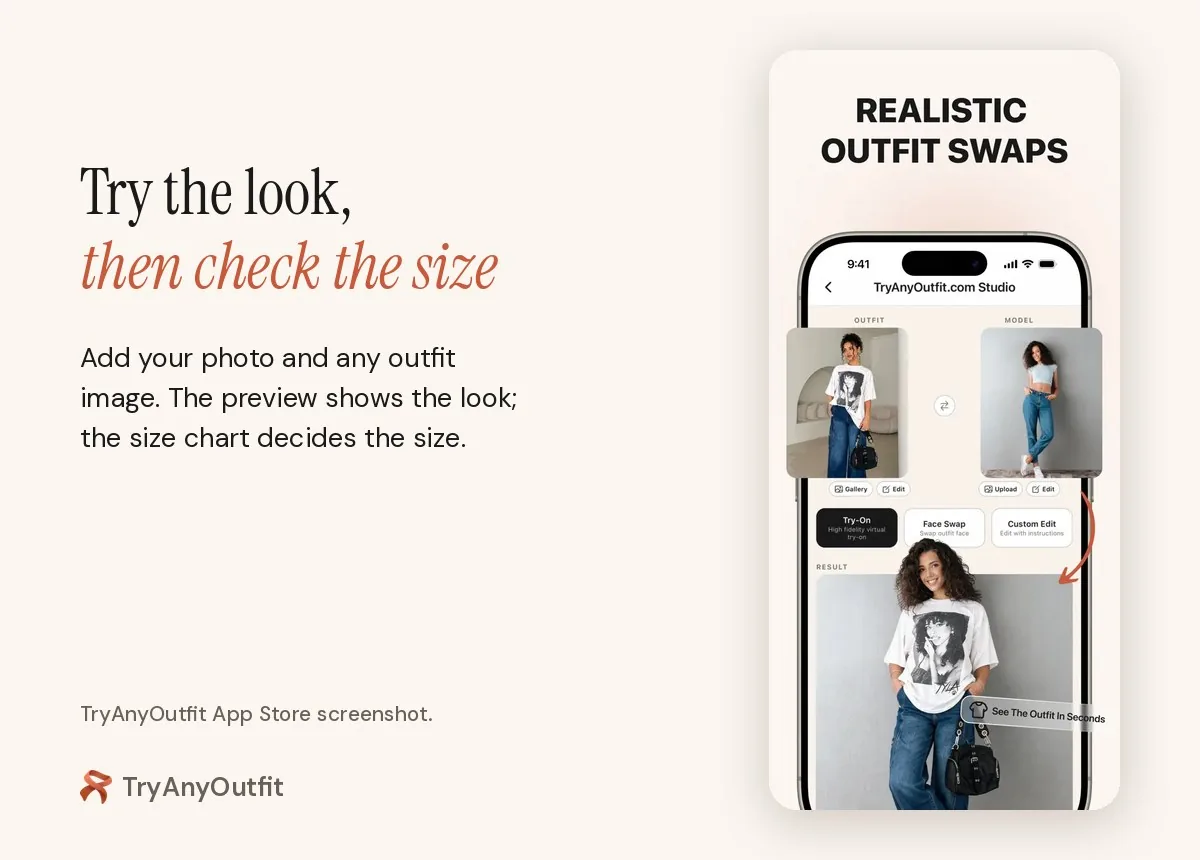
Steps 1 to 3 in TryAnyOutfit Studio. Steps 4 to 6 are still on you.
Which one should you use?
If you want to see a specific piece on yourself before buying, use a photo try-on. TryAnyOutfit takes any outfit image and costs nothing until you render. FitRoom has a free web tier if you don't mind a watermark. Google Try-On costs nothing for eligible items you find in Google.
If your problem is size, a photo app won't solve it. ZOZOFIT gives you measurements to compare with size charts. MTailor makes the clothes to your size, which suits men's shirts and suits best. And the store's own size tool knows that brand's sizing better than any outside app.
Most people need both, in that order: look first, size second. For more photo apps, see our best virtual try-on apps and Google Doppl alternatives. If FitRoom is the one you're weighing, we wrote up FitRoom alternatives and TryAnyOutfit vs FitRoom. The virtual try-on guide covers what a preview can and can't show.
Sources
Listings, help pages and sites as of October 21, 2026. Prices are US storefront and change often.
Items mentioned
- TryAnyOutfit: Any outfit image on your own photo; iPhone, Android and web; packs from 5 try-ons for $2.99.
- FitRoom: Photo try-on app with an AI closet; free web tier with watermark; app from $4.99 a week.
- My Fitting Room: iPhone photo try-on app; subscription required for try-ons.
- Google Try-On: Try it on button for eligible tops, bottoms and dresses in Google Search, Shopping and Images.
- ZOZOFIT: Free 3D body-scanning app with 16 measurement points and a Tailor Mode for clothing size.
- MTailor: Measures you with your phone camera and makes custom clothing to fit.
Frequently asked questions
What is a virtual fitting room app?
An app that shows clothes on you without a physical fitting room. Most, including TryAnyOutfit, FitRoom and My Fitting Room, generate an image of you wearing an outfit from your photo and a clothing image. A few tools, like ZOZOFIT's body scan, deal with measurements instead.
Can a virtual fitting room tell me my size?
Photo try-on apps can't. They preview the look and don't measure your body. Google's help page says its try-on image does not determine or guarantee the actual fit. For size, use the store's size chart or size tool, or measurements from a body-scanning app.
Is there a free virtual fitting room?
Google Try-On lists no charge and works on eligible tops, bottoms and dresses in Google results for signed-in US users 18 and over. FitRoom's web plan gives 10 free credits a month with a watermark. TryAnyOutfit's photo setup and quizzes are free; each try-on uses a paid credit, from 5 for $2.99.
Which app measures my body for clothes?
ZOZOFIT scans your body with your phone and gives measurements at 16 points, with a Tailor Mode for clothing size. MTailor measures you with the phone camera and makes custom clothing to those measurements, mostly menswear plus women's jeans.
Does TryAnyOutfit measure fit?
No. TryAnyOutfit previews how an outfit looks on your photo. It doesn't measure fit or choose a size, so check the retailer's size chart before you buy.